ERP integration connects your ERP to the applications that run sales, service, and fulfilment so data moves automatically and the ERP stays the single source of truth. This guide is for the people who have to make it work: IT leaders, architects, and operations owners choosing an approach, sizing the effort, and avoiding the failures that stall these projects. It covers the integration methods, a reference architecture, the security and reliability that production demands, the best practices that separate a smooth rollout from a stalled one, and a decision framework for choosing. For a plain-English primer on the basics, start with the guide to what ERP integration is, then come back here for the build decisions.
Key decisions this guide helps you make
|
ERP integration methods compared
There is no single way to integrate an ERP. The method decides how much you build, how much you maintain, and how well it scales. These are the options a technical team weighs.
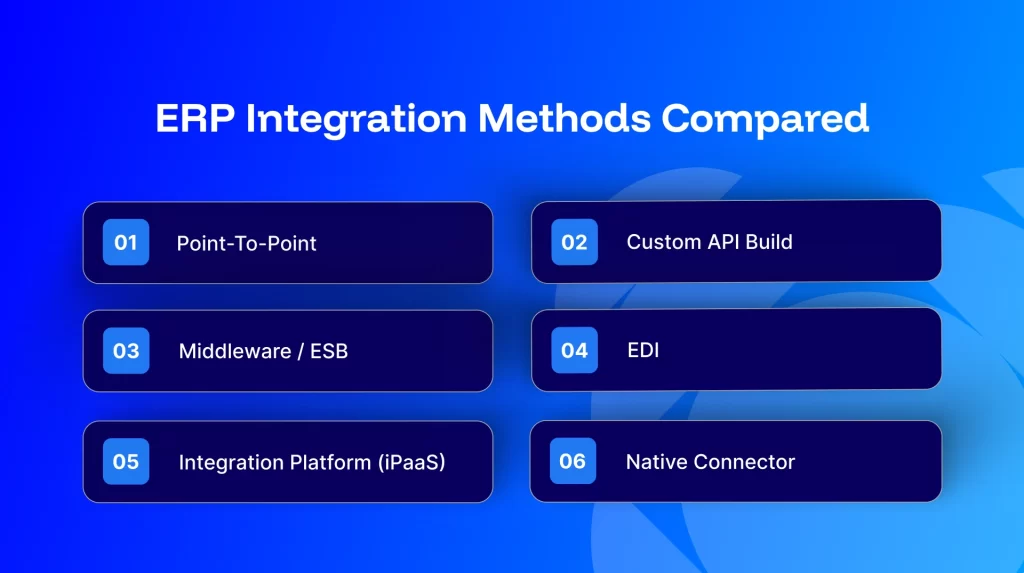
Method | How it works | Best for | Maintenance / scale |
Point-to-point | Direct code between two apps | One simple, stable connection | Poor: every new app multiplies connections; brittle when APIs change |
Custom API build | Developers build against each system’s API | A rare, highly specific requirement | High: you own every change, retry, and failure for years |
Middleware / ESB | A central on-premise hub routes messages | Large IT teams with on-premise estates | Heavy to run; capable but resource-intensive |
EDI | Standardised documents with trading partners | Retail and supply-chain compliance | Narrow scope; not a general integration layer |
Integration platform (iPaaS) | Cloud platform with prebuilt connectors + workflow logic | Connecting several systems and scaling | Low: connectors and monitoring are maintained for you |
Native connector | A prebuilt link from one specific app | A single vendor-supported pair | Limited flexibility beyond that pair |
For most mid-market businesses connecting an ERP with eCommerce, CRM, and marketplaces, an iPaaS is the pragmatic choice. It removes the maintenance burden of custom code while handling many connections and complex logic from one place.
ERP integration architecture
Whatever method you choose, a sound architecture rests on a few decisions. Get these right and the integration is reliable and extensible. Get them wrong and it becomes the thing that breaks.
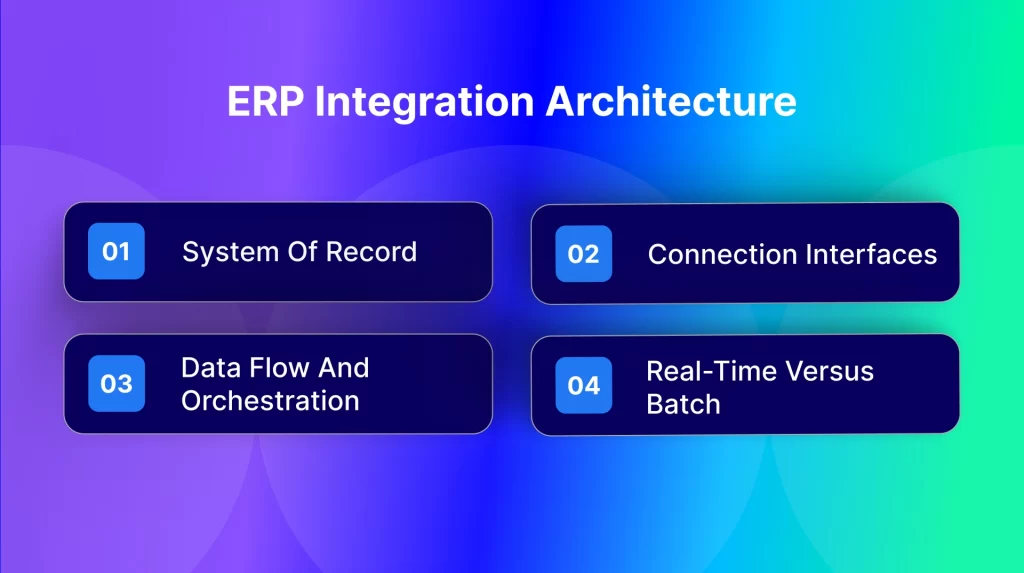
System of record
Decide which system owns each data type before writing a single mapping. The ERP is typically the system of record for inventory, pricing, and financials; the storefront owns the customer-facing order; the CRM owns the opportunity. Undefined ownership is the most common root cause of sync conflicts.
Connection interfaces
Most ERPs expose more than one interface, and the right one depends on volume and latency needs. SAP Business One, for example, offers the Service Layer (a REST/OData interface) and the DI API. Others expose REST APIs, webhooks for event-driven updates, and file or EDI channels for batch and trading-partner flows. Choose per data type rather than forcing everything through one interface.
Data flow and orchestration
A workable pattern is a central integration layer between the ERP and the surrounding apps. Events (a new order, a stock change) trigger a workflow; fields are mapped and transformed; business rules for tax, currency, and pricing are applied; the record is written to the target and the result is logged. Bidirectional flows keep both systems current. This hub-and-spoke shape scales far better than a web of point-to-point links.
Real-time versus batch
Mode | Use for | Why |
Real-time (event-driven) | Orders, inventory, payments | Delay causes overselling and poor customer experience |
Scheduled batch | Catalogue, price-list refreshes, large back-fills | Efficient for high-volume, less time-sensitive data |
Most production integrations use both, matched to each data type. The platform should let you set the mode per workflow, not force a single cadence.
Security, reliability, and error handling
An ERP integration moves order, customer, and financial data, so production-grade reliability and security are part of the design, not an add-on. This is where lightweight builds fail.
- Idempotency. A retried or duplicated message must not create a second order or double-count stock. Design every write to be safe to repeat.
- Retries and dead-letter handling. Transient failures should retry with backoff; permanent failures should surface as visible exceptions, never disappear.
- Transaction logging and monitoring. Every message logged, every failure alerted. A black box is not an integration you can trust in production.
- Security and compliance. Encryption in transit, role-based access control, and clear data-handling. APPSeCONNECT handles data to ISO 27001 and GDPR standards.
- Scalability. The architecture must hold up as transaction volume rises and as you add channels or run multiple company databases.
iPaaS vs custom integration: build or buy
This is the decision most teams get wrong by counting only the build. Custom code looks cheaper on day one and costs more every year after. An integration platform reverses the trade.
Factor | Custom build | Integration platform (iPaaS) |
Time to live | Months of development | Hours to weeks with prebuilt connectors |
Maintenance | You own every API change and fix | Connectors and updates maintained for you |
Reliability | Depends on in-house discipline | Built-in retries, logging, monitoring |
Total cost of ownership | Low build, high ongoing | Predictable, lower over time |
Scaling | Each new system is another build | Add a connector, not a project |
Custom code can suit a genuinely unusual requirement no connector covers. For the common case, connecting an ERP to eCommerce, CRM, and marketplaces, a platform is faster, cheaper to run, and supported when an API changes.
Common ERP integration challenges and how to solve them
- Undefined system of record. Fix it first; it prevents most sync conflicts.
- Data-model and field mismatches. Map fields and transform values (tax codes, units, currency) explicitly; do not assume parity.
- Duplicate or lost records. Use idempotent writes and dead-letter handling.
- Brittle custom scripts. Point-to-point code breaks when an API changes; prefer maintained connectors.
- No visibility. Without logging and alerts, failures are found by customers, not by you.
- Scaling by adding manual work. If a new channel means more headcount, the architecture is wrong.
ERP integration best practices
- Define the system of record for every data type before mapping.
- Start with the highest-value flows, usually orders and inventory.
- Choose real-time or batch per data type, not one cadence for all.
- Make every write idempotent and every failure visible.
- Map and transform fields explicitly, including tax, currency, and pricing rules.
- Build monitoring and alerting in from the start.
- Prefer maintained connectors over custom scripts for common systems.
- Test with real data and edge cases before go-live, then roll out in stages.
- Plan for scale: multiple channels, higher volume, multiple entities.
How to choose your ERP integration approach
Score your situation against these criteria to land on point-to-point, middleware, custom, or iPaaS.
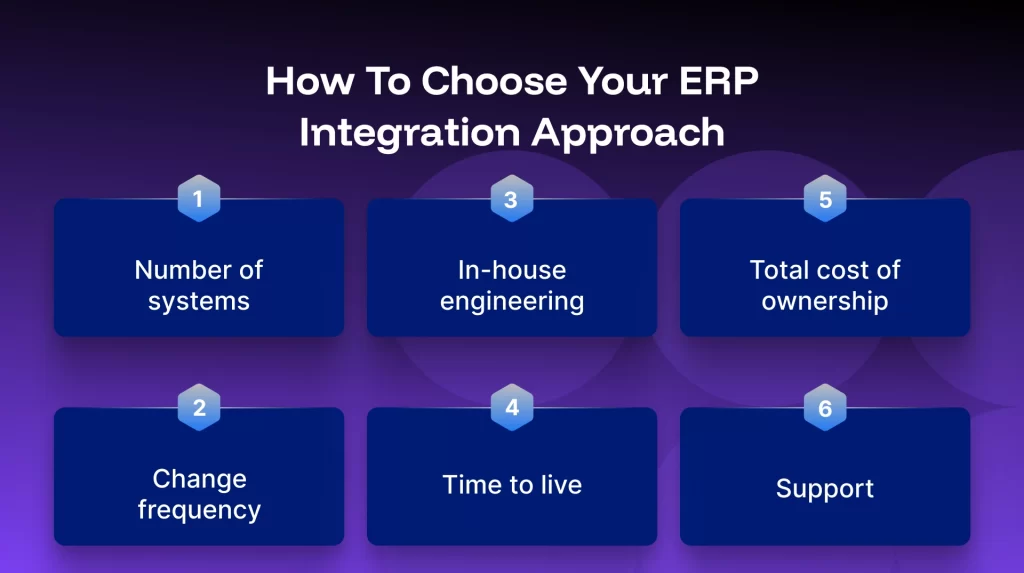
Score your situation against these criteria to land on point-to-point, middleware, custom, or iPaaS.
Criterion | Points to iPaaS when… | Points to custom/point-to-point when… |
Number of systems | You connect three or more apps | You have one stable, simple connection |
Change frequency | APIs and apps change often | The systems rarely change |
In-house engineering | You do not want to maintain integration code | You have a team dedicated to it long term |
Time to live | You need it live in weeks | Timeline is not a constraint |
Total cost of ownership | You count ongoing maintenance | You only need a one-off build |
Support | You want someone to fix it when an API breaks | You will own support internally |
Before you integrate: a readiness checklist
|
Real results from ERP integrations
Outcomes APPSeCONNECT customers reported after integrating their ERP with their sales and operations systems.
Business | Systems integrated | Reported result |
SAP Business One + Shopify Plus | 99% of bulk orders synced automatically, with higher accuracy | |
SAP Business One + WooCommerce | 30% increase in sales volume | |
SAP Business One + eCommerce | Order fulfilment cycle time improved by up to 80% | |
SAP Business One + eCommerce | Order fulfilment cycle optimised by 70% |
Across more than 100 ERP integration deployments, one pattern is consistent: the teams that define the system of record early and automate orders and inventory first are the ones that go live smoothly and scale.
How APPSeCONNECT approaches ERP integration
APPSeCONNECT is an ERP-first integration platform (iPaaS). It is built around the ERP rather than bolted on, which is why it handles ERP-specific logic, such as pricing, tax, and multi-entity structures, natively. It connects SAP Business One, SAP S/4HANA, Microsoft Dynamics 365 Business Central, Sage, NetSuite, and Acumatica to eCommerce platforms, CRMs, marketplaces, and shipping tools using prebuilt connectors and a low-code workflow builder, so teams go live in hours rather than months of custom development. Retries, logging, and monitoring are built in, and data is handled to ISO 27001 and GDPR standards. The result is a maintained integration layer your team does not have to build or babysit.
Talk to an integration architect
|
Frequently Asked Questions
The main methods are point-to-point (direct connections), middleware or an enterprise service bus (a central hub), custom API builds, EDI (for trading-partner documents), native connectors, and iPaaS (a cloud platform with prebuilt connectors and workflow logic). iPaaS is the most scalable for connecting several systems.
It is the design that governs how data moves between the ERP and other systems: which system owns each data type, which interfaces are used, how events trigger workflows, how data is mapped and transformed, and whether flows run in real time or batch. A central integration layer (hub-and-spoke) scales better than point-to-point links.
Define the system of record first, start with orders and inventory, choose real-time or batch per data type, make writes idempotent, map and transform fields explicitly, build monitoring in from the start, prefer maintained connectors over custom scripts, and test with real data before a staged rollout.
Custom code can suit a rare, highly specific requirement, but it is the most expensive to maintain because you own every API change and failure. For connecting an ERP to eCommerce, CRM, and marketplaces, an iPaaS is faster to launch, cheaper over time, and supported when an API changes. Judge on total cost of ownership, not build cost.
Real-time, event-driven sync passes data the moment something happens, which suits orders and inventory. Batch sync moves data on a schedule, which suits catalogue refreshes and large back-fills. Most production integrations use both, matched per data type.
The most common are an undefined system of record, data-model and field mismatches, duplicate or lost records, brittle custom scripts that break on API changes, and no visibility into failures. Each is avoidable with clear ownership, explicit mapping, idempotent writes, maintained connectors, and monitoring.
Design idempotent writes so retries do not duplicate data, retry transient failures with backoff, route permanent failures to a visible exception queue, and log and alert on every transaction. Reliability is an architecture decision, not an afterthought.
It can be, when the platform follows recognised standards. APPSeCONNECT handles data to ISO 27001 and GDPR standards, with encryption in transit, role-based access control, and clear data-handling practices.
With prebuilt connectors on an integration platform it can go live in hours to weeks. Custom or point-to-point builds take longer. The main drivers are the number of systems, the complexity of the workflows, data mapping, and testing.
SAP Business One, SAP S/4HANA, SAP ECC, Microsoft Dynamics 365 Business Central, Microsoft Dynamics NAV, Sage, NetSuite, and Acumatica, connected to eCommerce platforms, CRMs, marketplaces, and shipping tools.
Conclusion
ERP integration succeeds or fails on a few decisions: the method that matches your stack, an architecture built for real-time accuracy and reliability, and the discipline to define ownership and monitor everything. For most businesses connecting an ERP to eCommerce, CRM, and marketplaces, a maintained integration platform delivers the widest coverage with the least risk. If you are ready to scope it, an integration architect can map your systems and size the effort with you.