Order to cash automation goes wrong when teams automate the visible task but ignore the broken handoff behind it. A faster invoice does not help much if the order data is wrong, the fulfillment status is late, or payment records still need cleanup. So the better question is not only whether to automate order to cash. It is which approach fits your stack, and where the first automation should begin.
That answer changes depending on whether your delay sits inside finance or across the systems that carry the order. Get that wrong and you buy a finance tool for a problem that started two systems earlier. Get it right and the order moves cleanly from entry to payment with far less manual rework.
Key TakeawaysCore meaning: Order to cash automation uses software and connected workflows to move a customer order from order entry to payment with less manual work.
|
What Is Order to Cash Automation?
Order to cash automation uses software, workflow rules, and system integration to move a customer order through the O2C cycle with less manual effort. It helps teams capture orders, check records, update fulfillment, send invoices, collect payment, apply cash, and report on the process without rebuilding the same data in every system.
O2C starts after the customer places an order. It touches sales operations, fulfillment, customer service, finance, and accounts receivable, so automation works best when these teams are not working from disconnected records.
The cycle sounds neat when it is written as a list. In real operations, it can cross an eCommerce store, CRM, ERP, warehouse system, shipping tool, payment gateway, accounting tool, and a finance inbox. That is where the automation decision becomes important. A finance-only tool may help finance. A small bot may help one person. A connected order to cash workflow can help the order move better across the whole business.
The Order to Cash Cycle, Stage by Stage
The O2C cycle is a sequence of handoffs, and each handoff is a place where data can break, stall, or get re-keyed. Knowing the stages makes it easier to spot which one is actually slowing your cash down.
Stage | What Happens |
Order Management | Captures the order and checks the details before work begins. |
Credit Management | Reviews customer credit rules or payment terms before fulfillment. |
Fulfillment | Prepares, ships, or delivers the ordered goods or services. |
Invoicing | Creates and sends the invoice using the right order and billing data. |
Payment and Collections | Tracks payment status and follows up when invoices are unpaid. |
Cash Application | Matches incoming payments to the right open invoices. |
Reporting | Gives teams visibility into delays, exceptions, DSO, and cash flow. |
What Is the Difference Between O2C and Quote to Cash?
Order to cash begins once the customer order exists and ends when payment is received and applied. Quote to cash starts earlier. It can include quoting, pricing, negotiation, contracts, approvals, and then the order-to-payment process.
Procure to pay sits on the other side of the business. O2C is about selling to customers and collecting money. Procure to pay is about buying from suppliers and paying them.
For a buyer, the difference matters because each process needs a different automation scope. A broken quote approval flow points to quote to cash. A delayed invoice, payment follow-up, or fulfillment handoff points closer to order to cash.
How Automation Changes Each O2C Stage
The clearest way to scope an order to cash project is to look at what automation actually does at each stage, not just the general promise of “less manual work.” Each stage has a typical manual pain and a typical automated behaviour.
- Order Management: Manually, orders are re-keyed from a store, marketplace, or email into the ERP, which is slow and error-prone. Automated, new orders flow from the sales channel into the ERP with customer, item, price, and tax fields mapped, so the record starts clean.
- Credit Management: Manually, credit checks and payment-term rules are applied inconsistently or skipped under pressure. Automated credit limits and terms can be validated against the customer record before the order moves forward.
- Fulfillment: Manually, warehouse and shipping updates reach finance and customer service late, often by spreadsheet. Automated shipment and delivery status move between systems so teams stop waiting for manual status checks.
- Invoicing: Manually, invoices are raised on finance requests after someone confirms the order shipped. Automated, invoices are triggered from clean order and shipment data, so billing keeps pace with fulfillment.
- Payment and Collections: Manually, follow-up depends on memory and ad hoc reminders. Automated, payment status syncs back into the ERP or AR workflow and overdue items surface earlier.
- Cash Application: Manually, payments are matched to open invoices by hand, especially when remittance detail is missing. Automated, incoming payments are matched to invoices with fewer manual checks.
- Reporting: Manually, DSO, disputes, and bottlenecks are pieced together from exports. Automated, the same metrics come from a cleaner, connected database.
Manual vs Automated Order to Cash
A side-by-side view makes the case clearer than a benefits list. The pattern is consistent across stages: manual work moves data with people, automated work moves data with rules.
O2C Stage | Manual Approach | Automated Approach |
Order Capture | Orders re-entered into the ERP by hand | Orders flow from channels into the ERP with fields mapped |
Customer and Item Data | Records recreated differently in each system | Customer, item, and price data kept aligned across systems |
Fulfillment Status | Status chased by email or spreadsheet | Shipment and delivery updates synced between systems |
Invoicing | Invoices raised on manual finance requests | Invoices triggered from clean order and shipment data |
Payment Status | Updates tracked separately from the ERP | Payment status synced back into ERP or AR workflow |
Cash Application | Payments matched to invoices by hand | Payments matched with fewer manual checks |
Exceptions | Errors found days later during cleanup | Failed records flagged for review as they happen |
Benefits of Order to Cash Automation
The value of automating order to cash is not the software itself. It is the removal of the rebuilds, the waiting, and the cleanup that sit between teams.
- Faster, cleaner cash flow: When orders, fulfillment, and invoices stay connected, invoices go out sooner and on accurate data, which shortens the gap between a sale and collected payment, where the same survey found an 18-day DSO gap between top-quartile and median performers. Days sales outstanding (DSO) is the metric most teams watch here, because every day of receivables tied up is working capital sitting idle: The Hackett Group’s 2025 U.S. Working Capital Survey put about $600 billion of excess working capital in receivables across the largest 1,000 U.S. public companies.
- Fewer errors and duplicate records: Mapped fields and validation rules reduce the wrong customer, wrong price, or wrong tax code that creates downstream disputes and rework.
- Shared visibility across teams: Operations, finance, and customer service can work from the same order, invoice, and payment status instead of asking each other for updates.
- Room to scale: A connected workflow can absorb more order volume and more channels without adding proportional manual effort.
The financial stakes are real. McKinsey found that broken order to cash processes can leak value at multiple steps, collectively amounting to 3 to 5 percent of EBITDA for one B2B industrial manufacturer it studied, a figure that translated into millions of dollars when recovered.
Common Challenges and How to Avoid Them
Automation does not fix a process that no one has agreed on. Most order to cash projects stall on the same few issues, and each has a practical guardrail.
- Poor data quality: If customer, item, and pricing records are inconsistent across systems, automation will move bad data faster. Clean and standardise the core records before scaling a flow.
- System silos and unclear ownership: When commerce, CRM, ERP, and finance each hold a version of the truth, no one knows which record wins. Decide the system of record for each data type early.
- Integration complexity: Connecting several systems needs field mapping, validation rules, and an exception path, not just a connector. Scope one workflow well before chaining more.
- Change management: Teams that built manual workarounds need a reason to trust the automated flow. Start with a high-pain, high-volume workflow so the benefit is obvious.
Three Approaches to Automating Order to Cash
Most buyers do not need every type of order to cash software at once. They need the approach that matches the real break in the process.
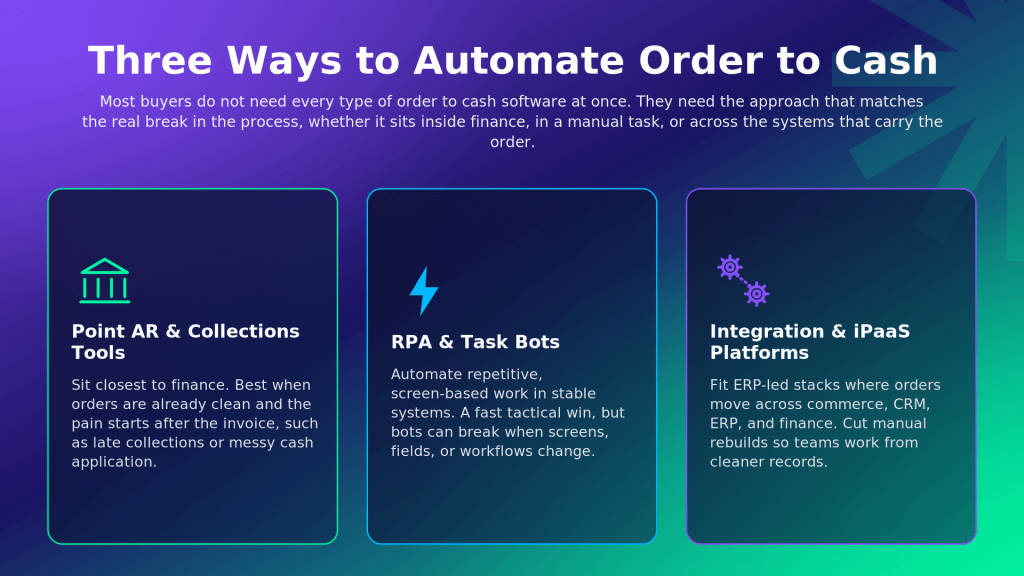
Approach | Best Fit | Where It Helps | Watch For |
Point AR and Collections Tools | Finance teams with invoicing, collections, or cash application pain | Payment follow-up, collector worklists, cash application, invoice to cash automation | May not fix upstream order, inventory, or fulfillment data issues |
RPA and Task Bots | Teams with repetitive screen-based work in stable systems | Data entry, report movement, simple rule-based actions | Can break when screens or workflows change |
Integration and iPaaS Platforms | ERP-led stacks where orders move across commerce, CRM, ERP, billing, and finance | Cross-system data flow, order to cash workflow visibility, system-of-record control | Needs clear process ownership and field mapping before scale |
Point AR and Collections Tools
Point AR tools sit closest to the finance team. They are useful when the main pain starts after the invoice exists: late collections, weak payment follow-up, messy cash application, disputes, deductions, or poor visibility into open receivables.
This route works well when the upstream process is already clean. Orders are accurate, fulfillment status is reliable, invoices are created on time, and finance mainly needs better control over payment collection.
The risk is buying a finance-side tool for a problem that starts before finance. If orders arrive with wrong customer details, item records, pricing, tax codes, or shipment status, AR still ends up cleaning someone else’s data.
RPA and Task Bots
RPA is useful when people repeat the same task across screens. A bot can copy order details, move a report, update a field, pull payment status, or push data between systems when APIs or native integrations are not available.
This can be a practical first step for narrow pain. If the workflow is stable and the rules are clear, RPA can remove small but annoying manual tasks quickly.
The weakness is durability. Bots often depend on screens, field labels, file formats, and predictable user actions, so when the system changes the bot may need attention. More importantly, task automation can make a bad handoff faster without making the full order to cash process healthier. RPA is usually strongest as a tactical layer, not the whole O2C strategy.
Integration and iPaaS Platforms
An integration or iPaaS platform fits when the order moves through several systems and teams need one trusted flow of data. This is common for mid-market manufacturers, distributors, wholesalers, and B2B sellers that run an ERP but also depend on eCommerce, CRM, marketplace, warehouse, shipping, or payment systems.
The value here is not only moving data from one app to another. The bigger gain is reducing manual rebuilds between teams, so sales, fulfillment, and finance work from cleaner records instead of chasing updates. This approach needs more upfront thinking than a small bot or a single AR tool. Teams need to agree on the system of record, field mapping, validation rules, and exception ownership.
How APPSeCONNECT Helps With Order to Cash Automation
APPSeCONNECT helps when order to cash work is spread across different systems and the ERP needs to remain the trusted center. That is the reality for many manufacturers, distributors, wholesalers, retailers, and B2B sellers. Orders may come from an online store, marketplace, CRM, POS, or sales team. Inventory may sit in the ERP. Shipping updates may come from a warehouse or logistics system. Finance still needs a clean invoice and payment data at the end.
APPSeCONNECT connects those systems so the order can move from one step to the next with less manual re-entry. The practical result is fewer broken handoffs, fewer duplicate records, and less cleanup before invoicing or payment tracking.
O2C Area | How APPSeCONNECT Helps |
Order Capture | Moves orders from sales channels into the ERP so teams do not have to retype them. |
Customer and Product Data | Helps keep customer, item, pricing, and product records aligned across connected systems. |
Inventory Updates | Helps selling channels and operations work with a closer view of stock and availability. |
Fulfillment Status | Moves order and shipment updates between systems so teams are not waiting for manual status checks. |
Invoices and Finance Data | Helps invoice and payment-related records stay tied to the ERP workflow. |
Exceptions | Gives teams visibility when a sync fails or a record needs attention. |
A few capabilities matter most for order to cash buyers:
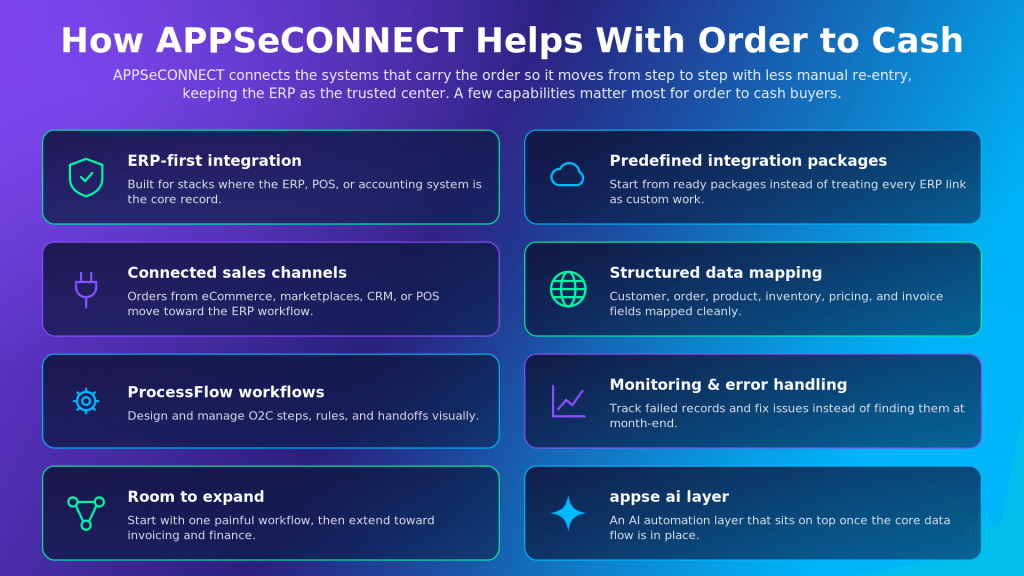
- ERP-first integration: APPSeCONNECT is built for businesses where the ERP, POS, or accounting system is the core record, which matters in O2C because finance, inventory, invoices, and order status often depend on ERP data.
- Predefined integration packages: Teams can start from predefined packages instead of treating every ERP integration like a custom project, so a project can begin with a focused scope and expand when the process is ready.
- Connected sales channels: Orders from eCommerce, marketplaces, CRM, POS, or other sales systems can move toward the ERP workflow with less manual entry.
- Data mapping: Customer, order, product, inventory, pricing, and invoice fields can be mapped between systems so records move in a structured way.
- ProcessFlow: APPSeCONNECT’s ProcessFlow capability helps teams design and manage workflows visually, which is useful when O2C work needs clear steps, rules, and handoffs.
- Monitoring and error handling: When a record fails, teams can track failed records, review errors, and correct issues instead of finding them days later during finance cleanup.
- Room to expand: A business can start with one painful workflow, such as order capture or inventory sync, and later extend the connected process toward invoicing, payment records, or broader finance automation.
- appse ai layer: APPSeCONNECT also comes with appse ai, its AI automation layer, which can sit on top of connected workflows and help extend automation after the core data flow is in place.
APPSeCONNECT does not treat O2C as only a finance issue. A late invoice may look like a finance delay, but the real problem may have started when the order did not reach the ERP correctly, the inventory update was late, or the fulfillment status never reached the billing team. For an ERP-led business, connecting the order journey before finance has to clean it up is the bigger win.
The Role of AI and Integration in Modern O2C
AI can help more when the process already has reliable data flow, and the foundation matters: Gartner expects over 40 percent of agentic AI projects to be canceled by the end of 2027, citing escalating costs, unclear business value, and inadequate risk controls. If order records are scattered, payment data is late, and invoice context lives in inboxes, AI has to work around the gaps that integration should have fixed first.
Once the O2C workflow is connected, AI can help teams review exceptions, spot unusual patterns, support routing, and reduce manual review where rules alone are not enough. The buyer lens is integration first, AI on top, because an AI agent is more useful when it can work with accurate order, customer, invoice, and payment context.
Which Order to Cash Stage Should You Automate First?
Start at the handoff that creates the most downstream delay. The best first automation is rarely the task that looks most repetitive. It is usually the point where one team waits, rebuilds data, corrects errors, or loses visibility.
A good way to find that point is to follow one real order from entry to payment and look for the moment where someone asks for status, fixes a field, exports a spreadsheet, or re-enters data.
Signal to Look For | What It Usually Means | First Automation |
Orders are re-entered into the ERP | Sales channels and ERP are not connected well | Order capture to ERP sync |
Invoices go out late | Fulfillment or shipment status reaches finance too slowly | Fulfillment to invoicing trigger |
Customers ask for delivery updates | Customer service cannot see order status clearly | Order and shipment visibility sync |
Payments are hard to match | Payment data and invoice records do not line up | Cash application workflow |
Finance cleans up records every close | Data quality breaks before AR work begins | Master data and validation rules |
If the worst delay lives inside AR, a finance-led order to cash automation software may be enough. If the delay starts between store, CRM, ERP, warehouse, and finance, an integration-first approach usually gives the process a stronger base.
Commonly Automated Workflows in Order to Cash
The strongest O2C automation candidates usually have high volume, clear rules, and a direct impact on cash, customer experience, or team workload.
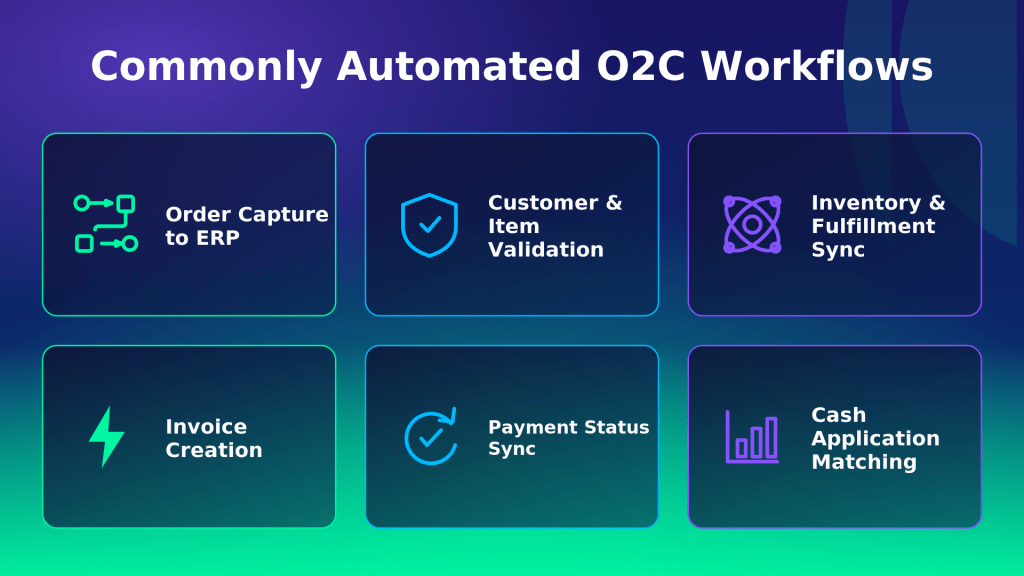
- Order Capture to ERP: New orders move from eCommerce, marketplace, POS, or CRM into the ERP without manual entry.
- Customer and Item Validation: Customer records, item codes, pricing, tax rules, and payment terms are checked before the order moves forward.
- Inventory and Fulfillment Updates: Stock, allocation, picking, packing, shipment, and delivery updates stay closer to the order record.
- Invoice Creation: Invoices are triggered from clean order and shipment data instead of manual finance requests.
- Payment Status Sync: Payment updates move back into the ERP, accounting system, or AR workflow so teams can act faster.
- Cash Application: Payments are matched to open invoices with fewer manual checks.
- Exception Routing: Orders, invoices, or payments that break rules are sent to the right person with enough context to resolve them.
- Order to Cash Analytics: Teams track bottlenecks, DSO movement, disputes, unpaid invoices, and cycle delays from a cleaner data base.
The first workflow should be boring in a good way: clear trigger, clear record, clear owner, and clear exception path.
What to Look for When Choosing an Order to Cash Solution
The best order to cash solution fits where your process breaks. Before comparing order to cash software vendors, decide whether the pain sits in finance, in a manual task, or across the systems that carry the order. Then weigh these criteria.
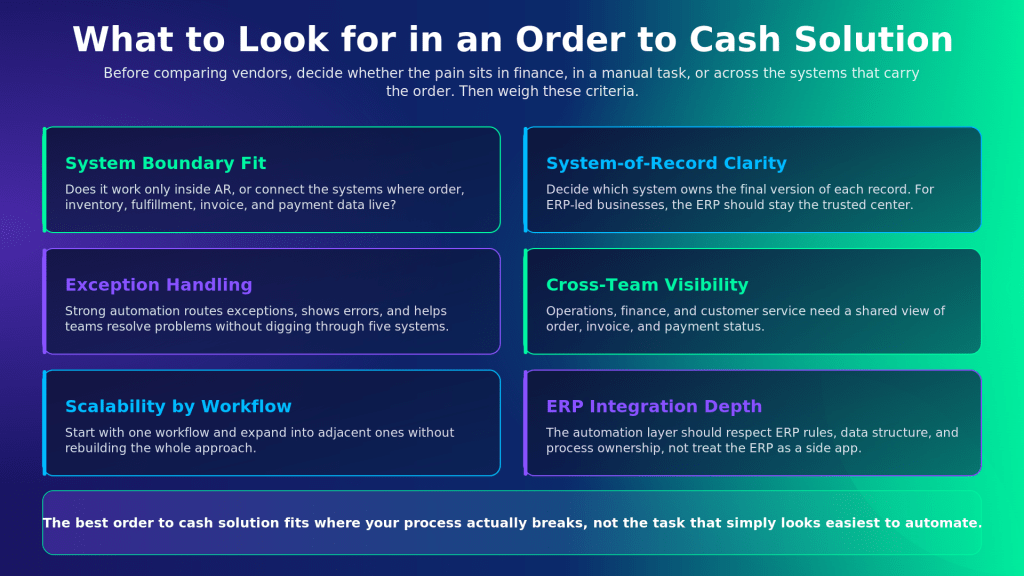
- System boundary fit: Check whether the tool works only inside AR or can connect the systems where order, inventory, fulfillment, invoice, and payment data live.
- System of record clarity: Decide which system owns the final version of each record. For many ERP-led businesses, the ERP should remain the trusted center for order and finance data.
- Exception handling: Strong automation does not pretend every order is clean. It should route exceptions, show errors, and help teams resolve problems without digging through five systems.
- Visibility across teams: Operations, finance, and customer service need a shared view of order, invoice, and payment status.
- Scalability by workflow: A good plan should let the business start with one workflow and expand into adjacent workflows without rebuilding the whole approach.
- Maintenance reality: Every automation has upkeep. Check who will own mappings, rules, credentials, changes, alerts, and testing after go-live.
- ERP integration depth: If your ERP is central to order to cash management, the automation layer should respect ERP rules, data structure, and process ownership rather than treating the ERP like a side app.
How to Get Started With Order to Cash Automation
A workable rollout is sequenced, not all at once. The following order keeps scope tight and proves value early.
- Trace one real order from entry to payment and mark every point where someone waits, fixes, exports, or re-keys data.
- Pick the highest-pain handoff, not the easiest task, as the first workflow to automate.
- Confirm the system of record for the data types that workflow touches, usually the ERP for order and finance data.
- Map the fields and validation rules between the source system and the target, and define the exception path before going live.
- Run, monitor, and correct the first flow, then resync any failed records once the cause is fixed.
- Expand to adjacent workflows once the first is stable, building toward a connected O2C process rather than a pile of isolated bots.
Frequently Asked Questions
Order to cash automation uses software and integrations to reduce manual work across the O2C cycle, from order capture to payment and cash application. It helps teams keep order, fulfillment, invoice, payment, and reporting data moving with fewer delays and fewer duplicate entries.
Quote to cash begins earlier than order to cash. It can include quoting, pricing, negotiation, contract terms, and approvals before the customer order exists. Order to cash begins once the order is placed and continues through fulfillment, billing, payment collection, cash application, and reporting.
Common automation areas include order entry, customer validation, inventory updates, fulfillment status, invoice creation, payment reminders, payment status sync, cash application, dispute routing, and reporting. The best starting point depends on where the business loses time or creates the most cleanup work.
Start by tracing one real order from entry to payment. Find the handoff where teams re-enter data, wait for status, fix errors, or use spreadsheets to keep the process moving. That handoff is usually a better first target than a random repetitive task.
An ERP is not always the only system involved, but most mid-market O2C automation projects need a clear system of record. For businesses that run an ERP, it usually owns the most important order, inventory, billing, and finance data, so the automation approach should be designed around that reality.
Setup time depends on systems, data quality, workflow rules, approvals, integrations, and testing needs. A reliable timeline should come only after the stack, mappings, exceptions, and ownership model are reviewed.
Conclusion
Order to cash automation is not about buying the most advanced tool first. It is about fixing the handoff that slows cash, creates cleanup work, or frustrates customers. If the issue sits inside finance, an AR tool may be enough. If it crosses systems, an integration-first approach gives the process a stronger foundation, with the ERP as the trusted center and AI layered on once the data flow is clean.
If your O2C delays sit between ERP, commerce, CRM, fulfillment, billing, and finance, book a demo with APPSeCONNECT to talk to an expert to choose the right first workflow and the approach that fits your stack.