SAP Business One can run on-premise, in a private or hosted cloud, or through SAP’s cloud editions, and the right choice comes down to how much control you want versus how much you want to hand off, whether you prefer a capital or a subscription cost, the IT resources you have, and how fast you plan to grow. On-premise gives you maximum control and a one-time licence; cloud gives you lower upfront cost, less maintenance, and anywhere access. This guide compares the two, explains each deployment option, and gives you a simple way to decide. Whichever you choose, you will still need to connect SAP Business One to the other systems you run, so we cover that too.
Key takeaways
|
Is SAP Business One cloud-based?
SAP Business One can be cloud-based, but it is not cloud-only like some SaaS ERPs. You can run it three ways: on-premise on your own servers; in a private or hosted cloud, where an SAP partner runs it for you on infrastructure such as AWS or Azure; or through SAP’s own cloud editions. So ‘is SAP Business One in the cloud?’ is a choice you make, not a fixed answer.
On-premise vs cloud: the comparison
The core trade-off is control versus convenience. This table sums up how the two compare on the factors that usually decide it.
Factor | On-premise | Cloud (hosted / private) |
Cost model | One-time licence + hardware (capex) | Subscription (opex), lower upfront |
Control | Full control of servers and data | Managed by the host; less hands-on |
Maintenance | Your IT team patches and backs up | Handled by the provider |
Access | Typically on-network / VPN | Anywhere, browser or client |
Scalability | Buy and provision hardware | Scale resources on demand |
Upgrades | You schedule and run them | Provider-managed |
Best for | Strong in-house IT, strict data-control needs | Lean IT, remote teams, predictable monthly cost |
Your SAP Business One deployment options explained
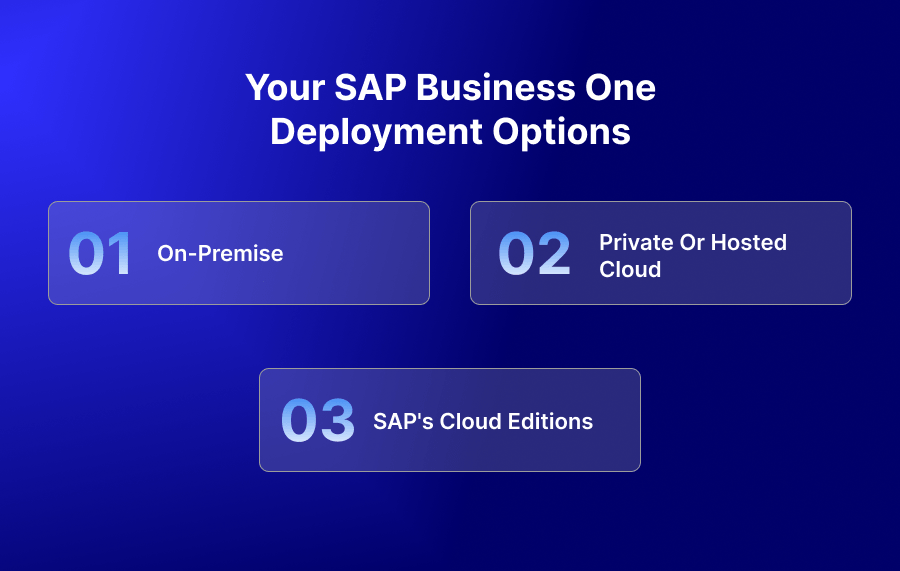
On-premise
You install and run SAP Business One on your own servers. You own the hardware, the security, and the maintenance. It suits businesses with capable in-house IT and strict requirements to keep data on their own infrastructure.
Private or hosted cloud
An SAP partner hosts SAP Business One for you on cloud infrastructure such as AWS or Azure. You get cloud benefits – anywhere access, managed maintenance, elastic resources – while keeping a dedicated environment. This is how most SAP Business One customers ‘go to the cloud’.
SAP’s cloud editions
SAP also offers cloud-hosted options for SAP Business One. Availability and specifics vary by region and partner, so confirm the current options with SAP or your partner.
How to choose
Score your situation against these five criteria and the answer usually becomes clear.
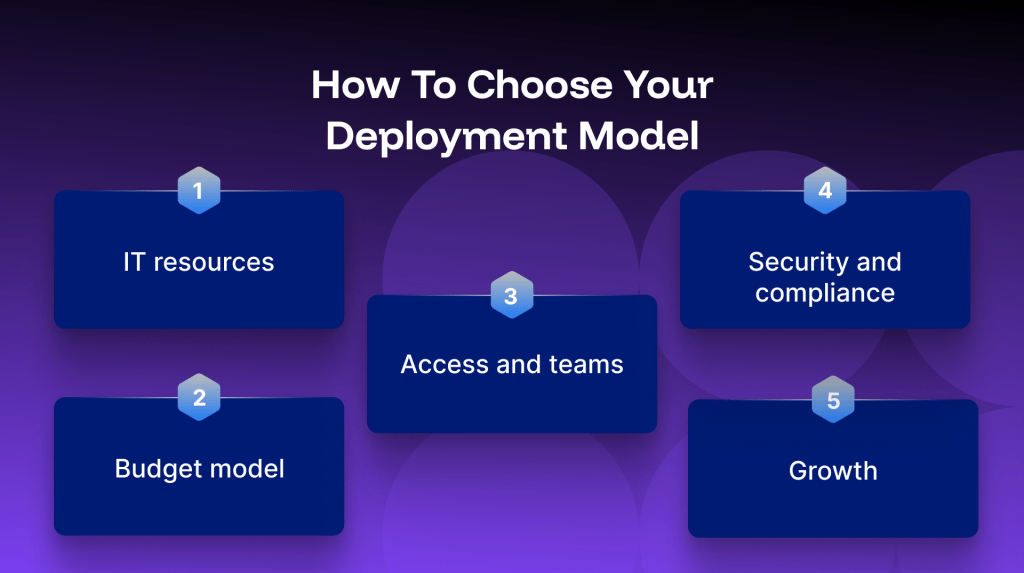
- IT resource – Strong in-house team leaning to control? On-premise. Lean team wanting maintenance handled? Cloud.
- Budget model – Prefer a one-time capital cost? On-premise. Prefer predictable monthly opex? Cloud.
- Access and teams – Remote or multi-site teams favour cloud’s anywhere access.
- Security and compliance – Both can be secure; decide whether you want to own controls or rely on a provider’s.
- Growth – Fast or seasonal scaling favours the cloud’s elastic resources.
Cost considerations
On-premise front-loads cost: licences plus servers, then lower ongoing spend. Cloud spreads cost into a predictable subscription with less upfront outlay. Either way, budget separately for the integration layer that connects SAP Business One to your other systems. Pricing is set by SAP and its partners and varies by users, edition, and region, so request a current quote rather than relying on a published figure.
Security and compliance
Neither option is inherently more secure; it depends on how it is run. On-premise puts controls in your hands; cloud shifts much of that to a provider with dedicated security teams. Whichever you choose, the data moving between SAP Business One and your other apps should be handled to recognised standards. APPSeCONNECT handles that integration data to ISO 27001 and GDPR standards.
Whichever you choose, you still have to integrate SAP Business One
Deployment decides where SAP Business One runs; it does not remove the need to connect it to the systems that drive sales and service. Your ERP still has to talk to your eCommerce store, CRM, marketplaces, and shipping tools. An integration platform such as APPSeCONNECT connects SAP Business One to those systems whether it runs on-premise, in a hosted cloud, or on SAP’s cloud, using prebuilt connectors and a low-code workflow builder, so you go live in hours rather than months. Because it is ERP-first, it handles SAP Business One’s pricing, tax, and multi-entity logic natively, and it is built with retries, logging, and monitoring so nothing is lost.
As proof it holds up in production: Wilderness Trail Bikes synced 99% of its bulk orders automatically through APPSeCONNECT, holding 99% even during Black Friday peak. See how to connect SAP Business One to eCommerce, or the SAP Business One integration hub for the full connector list.
Frequently Asked Questions
SAP Business One can be cloud-based, but it is not cloud-only. You can run it on-premise on your own servers, in a private or hosted cloud managed by an SAP partner (on AWS or Azure), or through SAP’s cloud editions.
Choose on-premise if you have strong in-house IT, want full control of servers and data, and prefer a one-time licence. Choose cloud if you want lower upfront cost, managed maintenance, anywhere access, and easy scaling. Most businesses now choose cloud.
Three: on-premise (your servers), private or hosted cloud (an SAP partner runs it on AWS or Azure), and SAP’s own cloud editions. All three run the same SAP Business One application.
Yes. SAP Business One is widely run in the cloud, most commonly as a partner-hosted private cloud on infrastructure such as AWS or Azure, and SAP also offers cloud editions.
On-premise front-loads cost with licences and hardware; cloud is a predictable subscription with lower upfront outlay. Exact pricing depends on users, edition, and region and is set by SAP and its partners – request a current quote. Budget separately for the integration layer.
Yes. Businesses commonly migrate an on-premise SAP Business One to a partner-hosted cloud. The application and your data move to cloud infrastructure; your integrations are re-pointed to the new environment.
Is cloud SAP Business One secure?
The application is the same; the difference is where it runs and who maintains it. Cloud is subscription-based, provider-maintained, and accessible anywhere; on-premise is licence-based, self-maintained, and typically accessed on your network.
No. You still need to connect SAP Business One to your store, CRM, and marketplaces whether it is on-premise or in the cloud. An integration platform connects to all three deployment types.
Yes. APPSeCONNECT connects SAP Business One to eCommerce platforms, CRMs, marketplaces, and shipping tools whether it runs on-premise, in a hosted cloud, or on SAP’s cloud, using prebuilt connectors and a low-code workflow builder.
Conclusion
On-premise or cloud comes down to control versus convenience, capex versus opex, and the IT resources you have – and the market is steadily moving to the cloud. Map your situation to the five criteria above and the right deployment usually becomes clear. Whichever you pick, plan the integration early: SAP Business One delivers the most value when it is connected in real time to the systems that run your sales and operations.
Next step
|