HubSpot Sage integration connects HubSpot CRM with a Sage accounting, ERP, or CRM product so customers, deals, invoices, and payment status move between both systems instead of being re-keyed by hand. It lets sales and finance work from the same customer and revenue picture. The tricky part is Sage itself: Sage Intacct, Sage 50, Sage 100, Sage 200, Sage 300, Sage 1000, Sage X3, and Sage CRM do not all behave the same way, so the right integration path depends on the edition you run.
Key Takeaways
|
What Is HubSpot Sage Integration?
HubSpot Sage integration connects HubSpot CRM with a Sage accounting, ERP, or CRM product so customer, sales, finance, and order data can move between both systems. For a sales team, HubSpot stays close to the customer conversation. For finance and operations, Sage remains the system that manages accounting, invoices, stock, orders, and financial records.
The detail that shapes every project is that Sage is not one product. A company running Sage Intacct has a different setup from one running Sage 100, Sage 300, Sage X3, or Sage CRM. That affects the connector, the data flow, the implementation work, and the long-term maintenance.
A solid plan starts with four questions:
- Which Sage product do you run? The edition shapes the technical route.
- Which data needs to move? Customer, invoice, payment, product, inventory, and deal data each have different ownership rules.
- Which system owns each record? HubSpot may own sales activity, while Sage owns invoice and payment status.
- How will errors be handled? Failed records, duplicate customers, and missing fields need a cleanup path from day one.
Which Sage Edition Do You Run?
The same hubspot crm integration sage project can look simple in one edition and far more involved in another. Start by placing your Sage product.
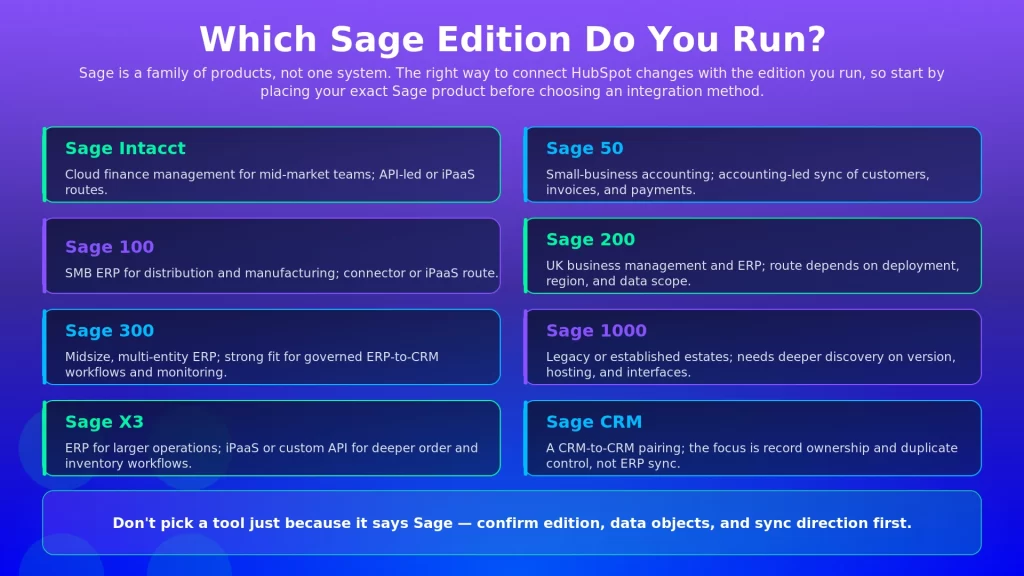
Sage Edition | Type | Typical User | Integration Implication |
Sage Intacct | Cloud financial management | Mid-market finance teams | API-led connector or iPaaS, with finance object scope confirmed early |
Sage 50 | Small-business accounting | Small businesses and bookkeepers | Connector or middleware, often focused on customer, invoice, and payment visibility |
Sage 100 | SMB ERP | Distribution, manufacturing, growing SMB teams | Connector or iPaaS, with hosting and version details checked during scoping |
Sage 200 | UK business management and ERP | Growing small and mid-sized UK businesses | Connector, API, or partner-led route depending on deployment and data |
Sage 300 | Midsize ERP | Distribution, wholesale, multi-entity teams | Strong fit for governed ERP-to-CRM workflows with object mapping and monitoring |
Sage 1000 | Legacy or established ERP estate | Larger UK organizations with older systems | Deeper verification needed around version, hosting, and available interfaces |
Sage X3 | ERP for larger operations | Manufacturing, distribution, complex operations | iPaaS or custom API work may be needed for deeper workflows |
Sage CRM | CRM | Teams already using Sage’s CRM product | CRM-to-CRM pairing, with clear rules on system ownership and duplicate control |
- Sage Intacct: A sage intacct hubspot integration usually matters when finance teams want better visibility into customers, invoices, revenue, and account activity tied to CRM data. The real question is whether you want HubSpot to see finance data, send customer data, or trigger a finance workflow after a deal closes.
- Sage 50: A hubspot sage 50 integration is more accounting-led than ERP-led. Smaller teams want HubSpot customer and deal data connected to customer, invoice, and payment records in Sage 50. Confirm scope early, especially if the process touches inventory, credit notes, or custom accounting workflows.
- Sage 100: A hubspot sage 100 integration often comes up when sales lives in HubSpot while finance, operations, or distribution teams manage records in Sage 100. Middleware helps here when the business needs customer sync, product sync, order handoff, invoice updates, or payment-status visibility. For Sage 100cloud questions, treat the project as a Sage 100 scoping exercise and confirm the version, hosting model, and data scope before choosing a method.
- Sage 200: A hubspot sage 200 integration usually sits around finance, stock, order, and business-management workflows. The buyer wants HubSpot useful for sales without forcing salespeople to ask finance for every payment, invoice, or account update. The right approach depends on deployment, region, version, and the data objects in scope.
- Sage 300: A hubspot sage 300 integration is common when companies need stronger coordination between sales and ERP data, often in multi-entity, distribution, wholesale, or international environments. Plan it around governed data movement, not quick field syncing. Customer records, products, invoices, payments, and account status need clean ownership rules.
- Sage 1000: Sage 1000 work needs careful discovery. Many environments are older, customized, or tied to specific business processes. Confirm the version, available interfaces, hosting setup, and long-term maintenance plan before picking a connector or custom route.
- Sage X3: A hubspot crm sage x3 integration usually belongs to a more complex ERP environment, with deeper mapping around customers, products, orders, pricing, inventory, and operations. For larger companies, the challenge is keeping data consistent across sales, finance, fulfillment, and reporting, not a single push.
- Sage CRM: A hubspot sage crm integration is different because both products are CRM systems. The project is less about CRM-to-ERP sync and more about customer-record ownership, sales-process alignment, duplicate control, and migration or coexistence. It needs a clear rule for which CRM owns contacts, companies, deals, tasks, and history.
How to Integrate HubSpot With Sage
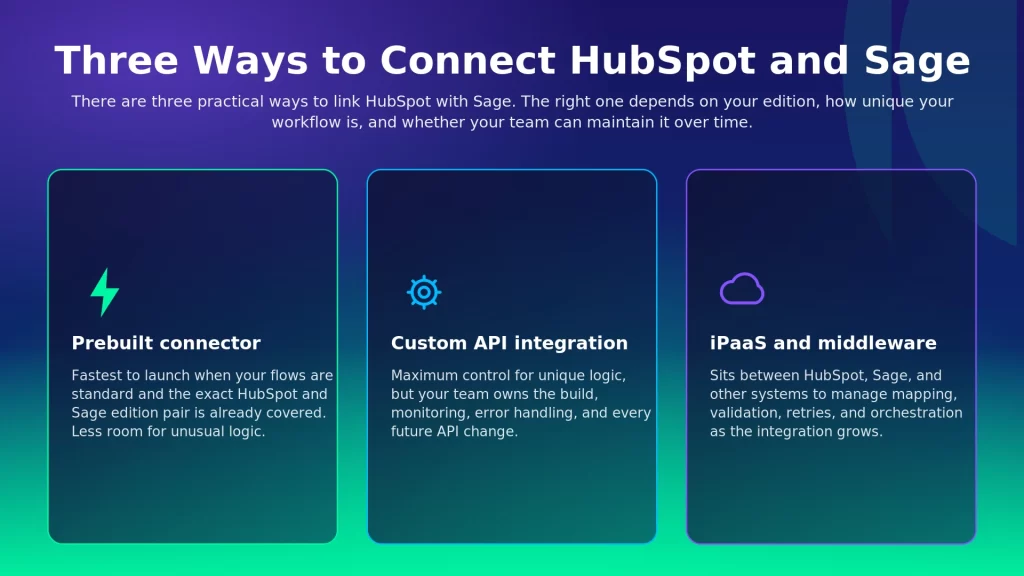
There are three practical ways to connect HubSpot and Sage: a prebuilt connector, a custom API integration, or an iPaaS and middleware platform.
Prebuilt Connectors
A prebuilt connector works well when your needs are standard and the exact HubSpot and Sage edition pair is already covered. It is usually faster to launch because the common flows are already shaped. The tradeoff is flexibility: unique approval rules, custom objects, unusual field logic, or several surrounding systems can make a basic connector restrictive.
Custom API Integration
A custom API integration gives the most control. Developers can build the exact logic the business needs between HubSpot and Sage. That control comes with maintenance, since API changes, authentication updates, field changes, error handling, and monitoring all become your team’s responsibility. It fits when the process is unique and the business has the technical capacity to own it.
iPaaS and Middleware
An iPaaS platform sits between HubSpot, Sage, and other business systems, managing workflows, field mapping, validation, monitoring, retries, and multi-system orchestration. It fits when the integration is expected to grow. If ecommerce, shipping, support, finance, and reporting tools will join later, middleware gives the architecture more room.
Method | Best Fit | Watch Carefully |
Prebuilt Connector | Standard HubSpot and Sage flows with limited customization | Edition coverage, object limits, predefined workflows |
Custom API Integration | Unique logic, strict control, an internal development team | Build time, maintenance, monitoring, API changes |
iPaaS and Middleware | Multi-system workflows, changing rules, long-term scalability | Platform learning curve, configuration quality, governance |
What Data Syncs Between HubSpot and Sage?
Good sage hubspot integration features are not just about moving data. They move the right data in the right direction, with the right system owning each record.
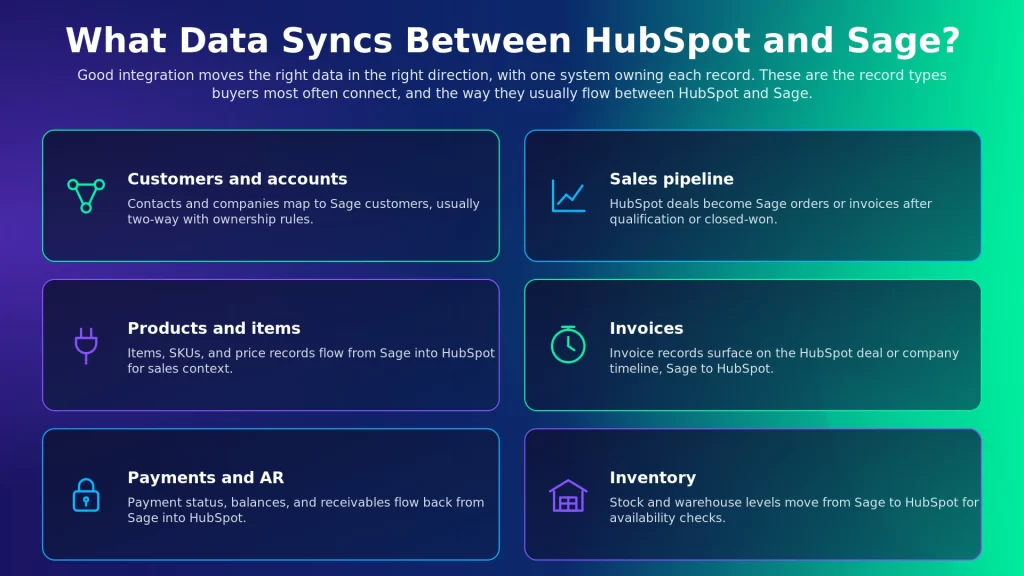
Business Data | HubSpot Side | Sage Side | Typical Direction |
Customers and accounts | Contacts and companies | Customers or accounts | Usually two-way, with ownership rules |
Sales pipeline | Deals | Sales orders or invoices | HubSpot to Sage after qualification or closed-won |
Products and items | Products or line items | Items, SKUs, or price records | Often Sage to HubSpot |
Invoices | Deal or company timeline visibility | Invoice records | Sage to HubSpot |
Payments and AR | Payment status or account status | Payments, balances, receivables | Sage to HubSpot |
Inventory | Product or sales visibility | Stock or warehouse records | Sage to HubSpot when available |
The exact sync depends on your Sage edition, HubSpot setup, and integration method. A simple accounting sync may need only customer, invoice, and payment updates. A deeper ERP integration may also need products, stock, pricing, order status, shipping updates, and credit information. Bidirectional sync is useful but needs rules: if both systems can update the same field, decide which one wins when the data conflicts.
The Order-to-Cash Workflow, End to End
Order-to-cash automation is often the real reason companies want a hubspot and sage integration. The goal is fewer handoffs after a deal closes, and Gartner expects automation to reshape transaction-processing functions such as order to cash and procure to pay.
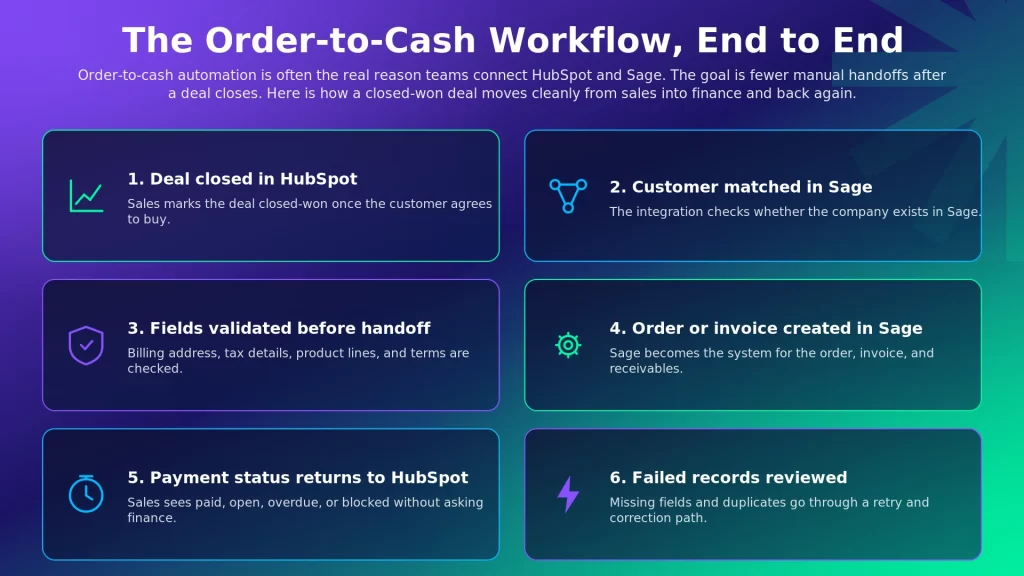
- Deal Closed in HubSpot: Sales marks the deal closed-won once the customer agrees to buy.
- Customer Matched or Created in Sage: The integration checks whether the company or customer already exists in Sage.
- Fields Validated Before Handoff: Customer name, billing address, tax details, product lines, and payment terms are checked before the record moves.
- Order or Invoice Created in Sage: Sage becomes the finance or ERP system for the order, invoice, and receivables process.
- Payment Status Returns to HubSpot: Sales can see whether the invoice is paid, open, overdue, or blocked without asking finance.
- Failed Records Are Reviewed: Missing fields, duplicate customers, or rejected records go through a retry and correction process.
This workflow removes the most friction when sales and finance trust the same customer record. Sales gets visibility, finance gets cleaner handoff data, and operations gets fewer broken orders.
Key Benefits
- Faster Order-to-Cash: Closed deals move into Sage without manual re-entry, so finance can start invoicing sooner.
- Cleaner Customer Data: Shared customer and company records reduce duplicate accounts and conflicting details across sales and finance.
- Better Sales Visibility: Sales sees invoice, payment, and account status inside HubSpot instead of chasing finance, time that matters when reps already spend just 28% of their week actually selling with much of the rest lost to data entry.
- Fewer Manual Errors: Field mapping and validation cut the risk of wrong customer names, incorrect billing details, or missed invoice updates.
- Stronger Team Alignment: HubSpot stays useful for customer-facing work while Sage remains the trusted system for accounting and finance.
Common Use Cases
- Lead to Customer Sync: A lead or company created in HubSpot can become a Sage customer record once it reaches the right stage, so finance avoids building accounts from scratch after the deal closes. Timing matters: some teams create Sage customers when a deal is qualified, others wait until closed-won.
- Deal to Invoice: A closed-won HubSpot deal can trigger a Sage order or invoice workflow, moving deal details, company data, product lines, and billing fields into the finance process. This removes the messy spreadsheet handoff between sales and accounting.
- AR and Payment Status Back to CRM: Finance owns invoices, payments, receivables, and overdue balances in Sage, but sales still needs visibility. When that status flows back into HubSpot, account managers can see who is paid, overdue, or blocked before a renewal or upsell conversation.
- Inventory and Pricing Visibility: Sales often needs product availability and pricing context before making a promise. If Sage holds product, item, stock, or price records, that data is useful inside HubSpot, with one caution: ERP-owned pricing and inventory should not be casually overwritten from the CRM.
- Finance Reporting Across Both Systems: Leadership may want pipeline, closed-won revenue, invoices, collections, and customer status connected. HubSpot shows commercial activity while Sage holds the finance truth, so a well-scoped integration gives reporting teams cleaner data without forcing everyone into one system.
How the Integration Works End-to-End
Most integrations follow the same path, whether they run through a connector, custom code, or an iPaaS:
- Trigger and Source Connection: A schedule, webhook, or manual run starts the flow from HubSpot or Sage.
- Data Extraction and Mapping: The selected record is read, then fields transform between the two systems.
- Validation: Customer matching, duplicate rules, required fields, tax, and pricing conditions are checked before the record posts.
- Target Push and Response: The record is sent to HubSpot or Sage, and the response is captured with success state and failure reason.
- Monitoring and Retry: Run history, failed-record review, and retry controls let teams fix exceptions without rebuilding the flow.
How to Choose the Right Approach
Choose the method based on your Sage edition, data scope, internal team, and long-term maintenance appetite. The best-looking option on paper is not always the safest one for your business.
If This Is True | Likely Path | Why |
You need a standard customer, invoice, or payment sync for one Sage edition | Prebuilt Connector | Faster to launch when the edition and workflow are already covered |
You have unique business logic and strong in-house developers | Custom API Integration | Maximum control when your team can own the build and maintenance |
You need HubSpot, Sage, ecommerce, support, shipping, and reporting connected | iPaaS and Middleware | Better for multi-system workflows and changing business rules |
You run Sage 1000, Sage X3, or a heavily customized Sage setup | Specialist Middleware or Custom Review | The environment needs deeper discovery before a safe recommendation |
You expect the workflow to expand after launch | iPaaS and Middleware | Easier to add new systems, validations, and monitored flows over time |
A strong decision usually comes down to five questions:
- Edition Fit: Which Sage edition, version, and deployment model do you use?
- Data Ownership: Which system owns customers, products, invoices, payments, and inventory?
- Workflow Depth: Are you syncing records, or automating a full order-to-cash process?
- Team Capacity: Can your internal team maintain APIs, failures, and future changes?
- Failure Handling: How will the business detect, correct, and retry failed records?
How APPSeCONNECT Connects HubSpot and Sage
Most HubSpot Sage projects fail in small places: a missing customer key, a field mismatch, a stage that fires too early, or a failed invoice update nobody catches. APPSeCONNECT works as the ERP-first iPaaS layer between HubSpot and Sage, using configured ProcessFlows, visual mapping, validation rules, monitoring, and retry paths to keep CRM and ERP records moving with control.
- Sage 300 and HubSpot Workflows: APPSeCONNECT has a dedicated Sage 300 and HubSpot integration path for customer, company, deal, invoice, product, payment, and account-status movement.
- Sage 100 Coverage: APPSeCONNECT’s Sage 100 integration coverage includes HubSpot among the CRM systems that can connect through configured workflows.
- ProcessFlow Design: Teams shape how data moves between HubSpot and Sage through visual workflows instead of treating the integration as a hidden black box.
- Field Mapping and Validation: Mapping rules match HubSpot fields with the right Sage records before data enters the finance or ERP process.
- Sync Info and Retry Handling: Run history, failed-record review, retries, and resync options help teams fix exceptions without rebuilding the entire flow.
- Room to Expand: Once the core HubSpot and Sage workflow is stable, the same integration layer can connect related systems such as ecommerce, support, fulfillment, or reporting tools.
How appse ai Helps After the Integration Is Live
After the core sync is live, the next problem is keeping the workflow healthy as teams add new fields, new rules, and new exception cases. appse ai adds an AI automation layer around the APPSeCONNECT ecosystem, helping teams understand workflow behavior and act faster when records slow down or fail, part of a wider shift in which 90% of finance functions are expected to deploy at least one AI-enabled solution by 2026.
This matters because the hardest problems usually appear after launch. A new field gets added in HubSpot. A required finance value changes in Sage. A deal reaches the invoice stage without enough billing data. These slow down revenue operations, not just the integration.
- Workflow Design Help: Turn a business requirement into a clearer workflow shape before building every step by hand.
- Exception Review: When a transaction fails, AI-guided context helps users understand what went wrong and where to check first.
- Pattern Detection: Repeated failures, slow steps, and recurring field issues become easier to investigate with clearer operational context.
- Post-Go-Live Improvement: Teams can review where records slow down and decide whether the process needs better validation, mapping, or routing.
Frequently Asked Questions
HubSpot can connect with Sage through a connector, custom API integration, or iPaaS platform. The right route depends on the Sage product you use, such as Sage Intacct, Sage 50, Sage 100, Sage 200, Sage 300, Sage 1000, Sage X3, or Sage CRM.
HubSpot can connect with Sage 100 through configured integration workflows. Confirm the Sage 100 version, hosting model, required data objects, and whether the workflow needs customer sync, order sync, invoice sync, payment updates, or inventory visibility.
Sage Intacct and HubSpot can be connected through an API-led integration, connector, or iPaaS route. The safest next step is to define which finance objects need to move, such as customers, invoices, payments, or account status.
Many buyers use Sage 100cloud to refer to the Sage 100 product family. Treat it as a Sage 100 scoping question and confirm the version, deployment model, and required workflows before choosing a connector, middleware, or custom API build.
Common data includes contacts, companies, customers, deals, products, items, invoices, payments, receivables, and inventory. Direction depends on ownership, but sales records often begin in HubSpot while invoice, payment, and inventory data usually come from Sage.
A connector works well for standard flows. A custom API build works when the business needs unique logic and has developers to maintain it. iPaaS and middleware work better when the integration involves multiple systems, changing rules, monitoring, and retries.
HubSpot Sage integration projects commonly involve Sage Intacct, Sage 50, Sage 100, Sage 200, Sage 300, Sage 1000, Sage X3, and Sage CRM. The connection path differs by edition, so confirm exact product coverage before choosing a tool or implementation route.
Conclusion
HubSpot and Sage work best together when the integration starts with the Sage edition, not a generic connector checklist. Identify the product, map the core records, choose the method your team can maintain, and test the order-to-cash path before expanding. Once the basics are stable, APPSeCONNECT and appse ai can help sales, finance, and operations keep the workflow easier to run over time.
To know how APPSeCONNECT can help you connect HubSpot and Sage with ERPs and tools in your stack, book a demo to know more.