Your ERP holds the records that run your business, but it rarely works alone. Orders come in from your online store, customers live in your CRM, stock sits in your warehouse system, and payments move through finance tools. When these systems do not talk to each other, work slows down and small gaps start to cost money. ERP integration is how you connect them, so information moves on its own instead of being typed in by hand. This page covers what ERP integration is, how it works, the common ways to set it up, and what to look for when you choose a platform.
What is ERP integration?
ERP integration is the process of connecting your ERP system with the other software your business runs, such as ecommerce platforms, CRM, warehouse management, shipping, and accounting tools. The aim is one set of accurate information that every team can trust, instead of separate versions sitting in separate systems. You will also see this called ERP system integration, and it usually runs through APIs, connectors, or an integration platform that manages how data flows between each app.
How ERP integration works
ERP integration adds a layer between your ERP and the rest of your tools. That layer moves data in both directions and decides what should happen at each step. When an order is placed online, the integration can send it to the ERP, update stock in the warehouse system, and pass tracking details back to the customer record. Staff no longer copy information from one screen to another, because the systems share it automatically. A good setup also handles timing and errors, so if a step fails it can retry or flag the problem rather than letting an order quietly fall through.
Why the flow matters
A good setup does more than move data once. It keeps records aligned, so stock counts, pricing, and customer details read the same in every tool. It also handles timing and errors, so if a step fails it can retry or flag the issue rather than letting an order quietly fall through. That steady, two way flow is what separates a real integration from a one time data copy.
How to connect your systems and stop revenue leaks
Most revenue leaks come from the handoffs between systems, not the ERP itself. An order has to reach the ERP, update stock, sync the customer, and line up with finance for invoicing. Every manual step in that chain is a place where overselling, pricing mismatches, and late invoices begin. Connecting the systems the right way removes those weak points.
Map where revenue actually moves
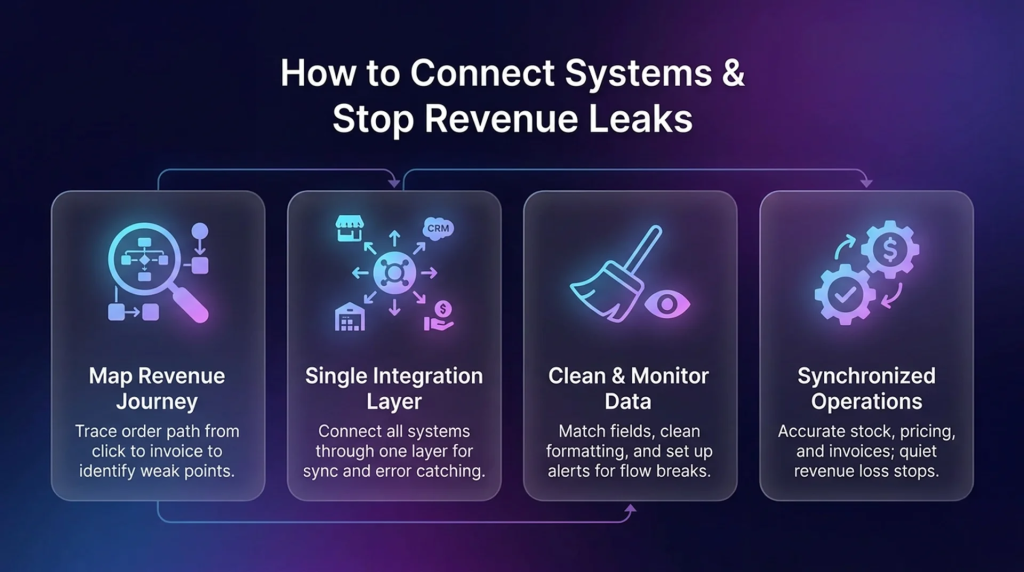
Start by following the path an order takes from the first click to a paid invoice. For most businesses that runs through the online store and marketplaces, the CRM, the warehouse, shipping, and accounting. Mark the points where a delay or a mismatch costs you money. Those are the connections worth fixing first, rather than trying to link every system at once.
Connect through a single integration layer
Once you know the priorities, connect those systems through one integration layer instead of a tangle of direct links. The layer keeps each record in sync in both directions, manages timing, and catches errors so a failed step gets flagged instead of slipping through. This is also easier to grow, since new apps plug into the same layer rather than needing a fresh connection each time.
Keep the data clean and watched
Connecting systems is only half the job. The same record can be formatted differently in each tool, so fields need to be matched and cleaned, which is usually called data mapping. App updates can also break a flow without warning, so monitoring and alerts matter. When the data stays clean and someone is watching the flow, the connections keep working instead of drifting out of sync over time.
What changes once it is working
With the integration layer in place, stock stays close to what is really available, pricing and customer data match across systems, and invoices follow orders cleanly. Teams stop patching gaps with spreadsheets and manual checks, which is exactly where the quiet revenue loss was hiding.
Where AI and automation fit in
Once your systems share clean data, automation becomes far more useful. AI tools can only help when the information moving between apps is accurate and complete. With a stable ERP integration in place, you can automate more of the repetitive, decision heavy work, catch issues earlier, and let staff focus on tasks that need judgment. This is why many teams treat integration as the foundation and automation as the next step, rather than trying to do both at once.
Why teams choose APPSeCONNECT for ERP integration
APPSeCONNECT is an integration platform built around the ERP, which is where many growing businesses run their operations. It connects ERP, POS, or accounting systems with ecommerce stores, marketplaces, CRM, warehouse, and shipping apps from one place. Teams choose it for a few practical reasons.
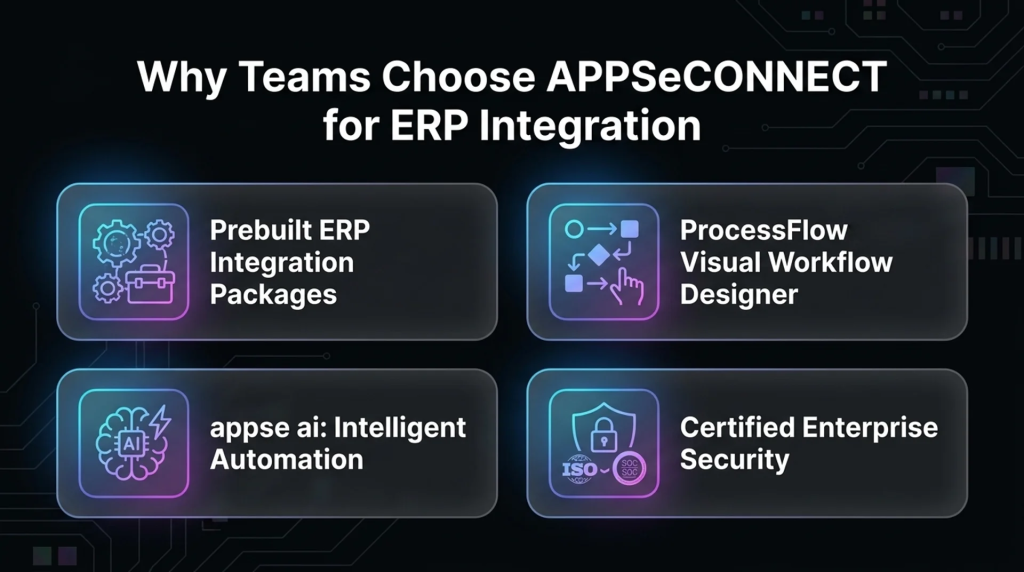
- Prebuilt integration packages for common ERP systems such as SAP Business One, Microsoft Dynamics 365 Business Central, NetSuite, and Sage 300, which give a faster start for standard workflows
- ProcessFlow, a visual workflow designer with drag and drop setup, so both technical and non technical staff can see and adjust how data moves
- appse ai, an automation layer that works on top of connected ERP, CRM, and ecommerce workflows
- Security backed by ISO 27001:2022 and SOC 2 Type II certifications, which matter when order, pricing, and finance data are involved
What changes after your systems connect
When the integration layer is working, the day to day gets easier. Orders move with fewer delays, stock stays close to what is really available, customer pricing is simpler to manage, and invoices and finance updates follow orders cleanly. Teams spend less time checking and fixing, and more time on work that moves the business forward. That shift, from manual correction to steady flow, is usually what people notice first.
Final thoughts
Most of the time, the ERP is not the problem. The cost comes from the systems around it that do not connect. Once that layer is in place, operations get faster, cleaner, and easier to grow. If you want less manual work, better order flow, and a clear path toward automation, a solid ERP integration is the place to start.
Frequently Asked Questions
ERP integration connects your ERP system with other software you use, such as ecommerce, CRM, warehouse, and finance tools, so data moves between them automatically instead of being entered by hand.
ERP implementation is setting up and configuring the ERP itself. ERP integration is connecting that ERP to the other systems your business runs, so information flows between them. Implementation gets the ERP working. Integration makes it work with everything around it.
The common methods are point to point integration, enterprise service bus or middleware, API based integration, and an integration platform as a service, also called iPaaS. The right one depends on how many systems you connect and how much you expect to grow.
Ecommerce platforms, CRM, warehouse management, EDI, accounting, and business intelligence tools are the most common. Many businesses also connect shipping, product information, and manufacturing systems.
It depends on the systems and the workflows involved. Standard connections built on prebuilt packages can go live quickly, while custom or complex projects take longer. A clear scope and a platform that fits your apps both help.
It can be, as long as the platform protects the data moving between systems. Look for recognized security standards and certifications, since order, pricing, and customer information all pass through the integration.