Running an online store means keeping a lot of moving parts in order. Orders arrive through your storefront, stock sits in a warehouse system, customer records live in a CRM, and your finance numbers end up in an accounting tool. When these systems do not share information, someone has to copy it across by hand, and that is usually where mistakes start. Ecommerce integration connects your store with the other software you depend on, so data moves between them on its own. This guide explains what ecommerce integration is, how it works, the methods and platforms available, and the habits that keep everything running smoothly.
What is eCommerce Integration?
Ecommerce integration is the process of connecting your online store with the back office systems that keep your business running, such as your ERP, CRM, inventory tool, shipping software and payment gateway. Once they are connected, information like orders, stock levels and customer details flows between systems without anyone retyping it. The payoff is a single, consistent view of your operation, where every team works from the same numbers instead of chasing updates across separate tools.
APIs, Connectors and Middleware
Most integrations rely on three building blocks. An API is the doorway each application opens so other systems can send and receive data in a standard format. A connector maps and translates that data so two systems understand each other. Middleware sits in between, routing messages, retrying failed transfers and keeping everything organized as volume grows. Many connections also use webhooks, which push an update the moment something changes, so your systems are not constantly checking for new data.
Manual Work vs Automated Sync
Without integration, staff export spreadsheets and retype figures from one screen into another. It works at low volume, but as orders grow the typos and missed lines pile up, which leads to shipping delays and frustrated customers. Automated syncing moves the same data on a schedule, or the instant an event happens, and frees your team to focus on work that actually grows the business.
Why is eCommerce Integration Important?
Shoppers expect the same prices, promotions and stock information whether they are on your website, a mobile app or a marketplace. When systems are disconnected, those details fall out of step, which leads to overselling, canceled orders and refund requests. Connecting your tools keeps every channel current, so customers see accurate availability before they reach checkout, and your team makes decisions from data it can trust.
- Accurate stock and pricing across every sales channel
- Fewer manual errors in orders, invoices and shipping
- Faster order processing and fulfillment
- A complete customer record for support and sales teams
- Room to add new channels and tools as you grow
eCommerce Integration Methods
There are several ways to connect your systems, and the right ecommerce integration method depends on how much data you move, how quickly it needs to travel, and the resources you have to build and maintain it.
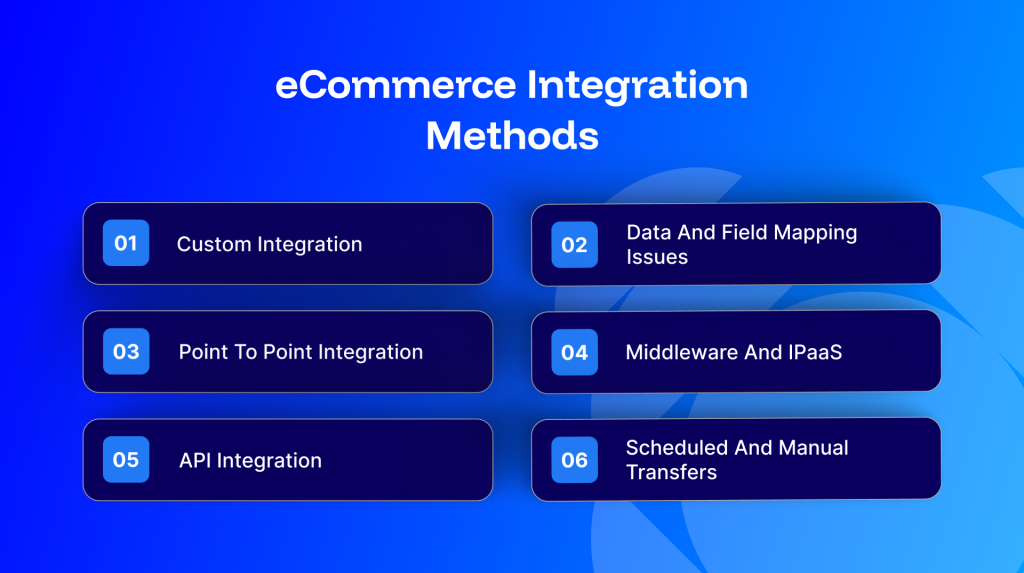
Custom Integration
A custom build uses code written specifically for your systems. It gives you the most control and suits businesses with unusual requirements, though it takes development skill to create and ongoing attention to keep working.
Point to Point Integration
This method links two systems directly. It is simple when you only have a couple of connections, but it gets harder to manage with every new tool you add, since each pair needs its own link.
Middleware and iPaaS
An integration platform, often called an iPaaS, acts as a central hub between all your applications. It comes with ready made connectors, visual field mapping and one place to monitor everything, which is why many growing retailers settle on this route.
API Integration
An ecommerce API integration moves data automatically as it changes. It can run one way, such as sending a new order from your store to your ERP, or two way, where a stock change updates both systems at once.
Scheduled and Manual Transfers
Not every update has to happen instantly. Less urgent data, like product descriptions, can sync on a schedule or move through a secure file transfer during quieter hours. A manual file upload is the simplest option of all and fits smaller catalogs, though it does not scale well as you grow.
Types of eCommerce Integration
Different connections solve different problems, and most stores combine several of the following.
Integration type | What it connects and does |
ERP integration | Syncs orders, inventory, pricing and finance data with systems such as NetSuite, SAP, Acumatica, Microsoft Dynamics and Sage |
CRM integration | Shares customer profiles, order history and behavior with sales and marketing tools |
Inventory integration | Keeps stock levels accurate across warehouses and channels |
Marketplace integration | Connects channels like Amazon for listings, pricing and order routing |
Shipping integration | Passes orders to carriers and returns tracking details to customers |
Payment gateway integration | Records transactions, refunds and settlements in your finance systems |
POS integration | Links in store sales with online stock and orders |
Accounting integration | Sends invoices, payments and tax data to your books |
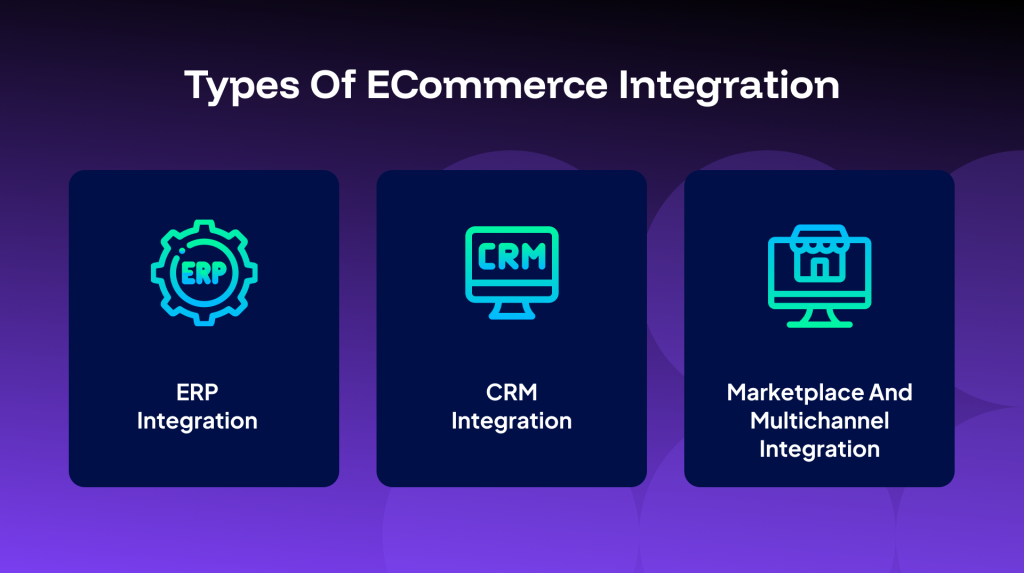
ERP Integration
Your ERP holds finance, inventory and order data, so connecting it to your store removes a lot of repetitive entry. An ecommerce ERP integration keeps pricing, tax and stock in step, and gives your finance team figures it can rely on at close. This is one of the most common connections for growing and B2B sellers.
CRM Integration
A CRM integration brings storefront activity into your sales and marketing tools. Teams can see a customer’s full history, follow up on abandoned carts and tailor outreach based on what people actually buy.
Marketplace and Multichannel Integration
Selling on more than one channel widens your reach, but it also multiplies the admin. Multichannel ecommerce integration routes orders and updates listings across your storefront and marketplaces from one place, so settings stay consistent everywhere you sell.
How to Choose an eCommerce Integration Platform
Picking the right ecommerce integration platform is less about the longest feature list and more about fit. A few things are worth weighing before you commit.
- Compatibility: does it connect cleanly with your storefront, whether that is Shopify, WooCommerce, Adobe Commerce or BigCommerce, and with your ERP and CRM?
- Ready made connectors: prebuilt templates shorten setup compared with building each link from scratch.
- Scalability: can it handle busy trading periods and new channels without a rebuild?
- Two way sync: confirm data can flow in both directions where you need it.
- Support and onboarding: look for responsive help, clear documentation and a partner network.
- Total cost: weigh setup, maintenance and the hours saved, not only the license price.
It helps to run a small trial before you decide. Sync a real, slightly complex record and watch how the platform handles errors, retries and reporting, since problems are far easier to spot here than in live operations.
Challenges and How to Handle Them
Integration projects tend to run into a few familiar obstacles. Knowing them early makes each one easier to manage.
Data Quality and Mapping
Different systems name and format fields in their own way, so a mismatched SKU or field can break a sync. Cleaning your data first and adding validation rules catches most of these issues before they cause trouble downstream.
Security and Compliance
Customer and payment data travels between systems, so connections need encryption, controlled access and proper logging. Choose platforms that follow recognized security and privacy standards, and keep sensitive card data out of places it does not belong.
Legacy Systems and Versioning
Older software may not offer modern endpoints, and updates can break existing connections. Adapters and versioned connectors help here, along with a staging environment where you can test changes before they reach live operations.
Best Practices for eCommerce Integration
A few habits separate smooth integrations from painful ones.
- Start with clear goals: decide what each connection should achieve before you build it.
- Clean your data first: remove duplicates and fix inconsistent records so syncs run cleanly.
- Roll out in stages: connect your most important systems first, then add more once each is stable.
- Favor real time where it counts: sync stock and orders without delay, and schedule less urgent data.
- Plan for errors: set up logging, alerts and retries so a single failure never goes unnoticed.
- Test before you launch: trial every flow, including the edge cases, in a safe environment.
- Keep watching: review performance regularly and adjust as your business changes.
How to Get Started in Four Steps
- List your systems. Note every tool involved, from your storefront to your ERP, CRM and payment provider.
- Map your data flows. Decide what needs to sync in real time and what can run on a schedule.
- Choose your method or platform. Match the approach to your scale and your resources.
- Test, then go live gradually. Validate in a sandbox and launch in stages with monitoring in place.
Conclusion
Ecommerce integration turns a set of disconnected tools into one system that works together. It removes repetitive data entry, keeps your numbers accurate and gives your team time to focus on growth. Whether you connect a couple of systems or your whole stack, start with clear goals, choose a method that fits your scale, and leave room to grow.
Frequently Asked Questions
It is the process of connecting your online store with the other systems you use, such as your ERP, CRM, inventory and shipping tools, so data moves between them automatically instead of by hand.
The common methods are custom builds, point to point connections, middleware or iPaaS platforms, real time API integration, and scheduled or manual file transfers.
You can connect a wide range of tools, including ERP systems like NetSuite, SAP and Acumatica, CRM software, accounting tools, marketplaces such as Amazon, shipping carriers and payment gateways.
It depends on the method and how much customization you need. A platform with ready made connectors can go live quickly, while a heavily customized build takes longer.
Point to point links two systems directly and gets harder to manage as you add tools. An integration platform acts as a central hub with ready made connectors, which scales more easily once you have several systems to connect.