






Connecting your software is rarely a simple yes or no decision. At some point most teams reach a fork in the road and have to choose between building a custom integration vs pre-built integrations that are ready to use out of the box. Both paths can connect your systems well. The difference shows up in how much you can tailor, how quickly you can launch, what you spend, and who keeps everything running once it is live.
This guide walks through how each option works, where each one fits, and the questions worth asking before you commit, so you can pick the approach that matches your workflows and your growth plans.
Custom vs pre-built integrations: the short answer
A pre-built integration is the faster, lighter choice. It connects common applications with little setup and is looked after by the provider, which works well for standard workflows. A custom integration is built around your exact processes. It takes more time and effort to create, and your team owns it, which makes it the stronger choice for unique requirements or older systems that off-the-shelf tools cannot reach.
Many teams do not pick one and stop there. They combine both, using ready-made connectors for everyday tasks and custom work where the business needs something specific. More on that approach further down.
What is a system integration?
An integration is the link that lets your applications share data and talk to each other. Instead of moving information by hand from one tool to the next, an integration keeps everything in sync so your teams work from the same, current numbers.
Good integrations cut down on repeat data entry, reduce errors, and give you a clearer view of what is happening across sales, finance, inventory, and support. Once your tools work together, you are in a much better position to weigh whether a custom or a pre-built setup suits your goals and your technical capacity.
What is a custom integration?
A custom integration is built specifically for your business. Developers connect your applications through their APIs and shape every part of how data moves between them, so the result matches your workflows, your data rules, and the way your teams actually operate. This is the approach to reach for when standard tools cannot handle a process, a data format, or a security requirement that matters to you.
Benefits of custom integrations
- Tailored to your processes. Every step can be designed around how your business runs, rather than forcing your team to adapt to a fixed template.
- Reaches legacy and on-premise systems. Custom work can connect modern apps to older or in-house software, helping you get more value from tools you already rely on.
- Stronger control over security. You can apply the security measures and compliance rules your environment calls for, instead of settling for a one-size approach.
- Ownership and independence. Because you own the integration logic, you keep control of how your systems connect and avoid being locked into a single provider.
Challenges of custom integrations
- Larger upfront effort. Building from scratch usually means a bigger investment of development time and resources at the start.
- Longer timelines. Designing, building, and testing a tailored solution takes more time than switching on a ready-made one.
- Ongoing upkeep. When an application changes its API or structure, your integration may need updates to keep working smoothly.
- Specialized skills. You will need developers, in-house or through a trusted partner, who know how to build and maintain these connections.
When does a custom integration make sense?
Choose a custom integration when your processes are unusual, when you need to connect legacy or on-premise systems, or when security and compliance demands go beyond what standard tools offer. The added effort pays off when the connection has to fit your business precisely rather than approximately.
What is a pre-built integration?
A pre-built integration is a ready-made connector that links your systems with very little setup. You will usually find these inside an integration platform, often called an iPaaS, where popular applications are already configured to work together. Most use a no-code or low-code setup, so business teams can connect tools without writing code.
Benefits of pre-built integrations
- Quick to launch. You can connect systems in a short space of time, without a long development cycle.
- Easier on the budget. Upfront costs are lower than custom work, and many connectors come included with the platform or subscription.
- Tested and dependable. Because these connectors are used across many businesses, common issues have usually been worked out already.
- Maintained for you. The provider handles updates and support, so your integration keeps pace as the connected apps change.
Challenges of pre-built integrations
- Limited room to customize. A standard connector may not match every step of your workflow, which can leave small gaps.
- Tighter fit as you grow. A one-size setup can need extra adjustments as your processes get more complex.
- Reliance on the provider. You depend on their roadmap, pricing, and uptime, so a change on their side can affect you.
When does a pre-built integration make sense?
Reach for a pre-built integration when your needs are fairly standard, when speed matters, and when you would rather lean on a provider for updates and support. It is a practical fit for teams that want reliable connectivity without a heavy build.
How to choose: key factors to compare
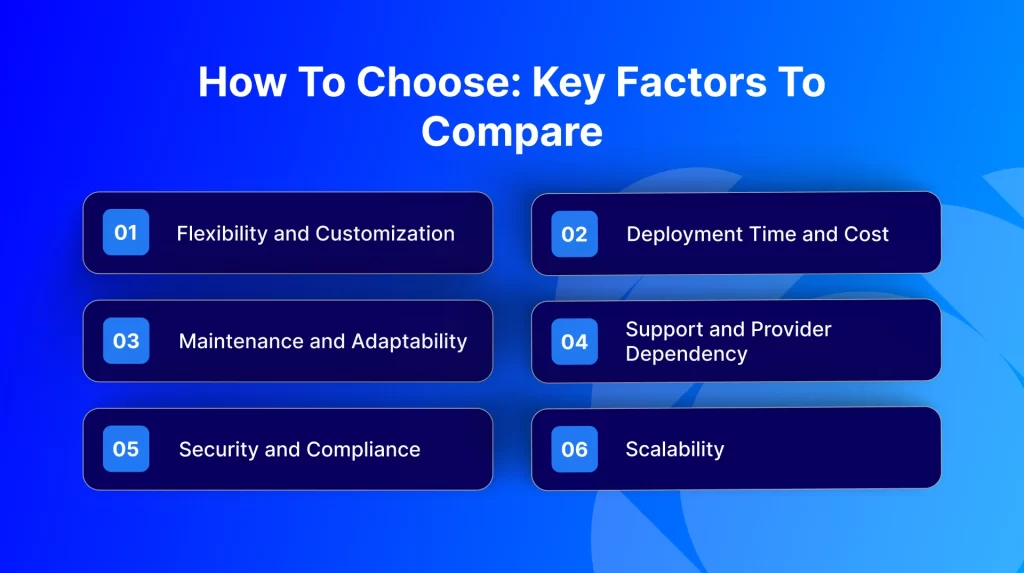
Before you decide, it helps to weigh a few factors that shape how well either option will serve you over time.
Flexibility and customization
Think about how unusual your processes are. Custom integrations bend to fit your workflows, while pre-built ones offer set features that may ask you to adjust how you work.
Deployment time and cost
Look at your timeline and budget together. Pre-built integrations tend to launch faster and cost less to start. Custom integrations ask for more time and a larger initial investment in exchange for a tailored result.
Maintenance and adaptability
Consider the long game. Custom integrations may need adjustments when connected systems change, but you control the timing. Pre-built ones are kept current by the provider, with less flexibility in return.
Support and provider dependency
Weigh your internal resources. With a custom build, your team or your partner handles support. With a pre-built connector, the provider helps, which lightens your load but ties you to their schedule and priorities.
Security and compliance
Map out your security and regulatory needs. Custom integrations let you apply tailored controls for sensitive data and stricter rules, while pre-built options usually come with broad, standard protections that may not cover every specific requirement.
Scalability
Your needs a year from now will look different. Custom integrations can grow with new data, users, and steps because you shape the logic. Pre-built connectors handle set tasks well but may need extra work to keep up as demands expand.
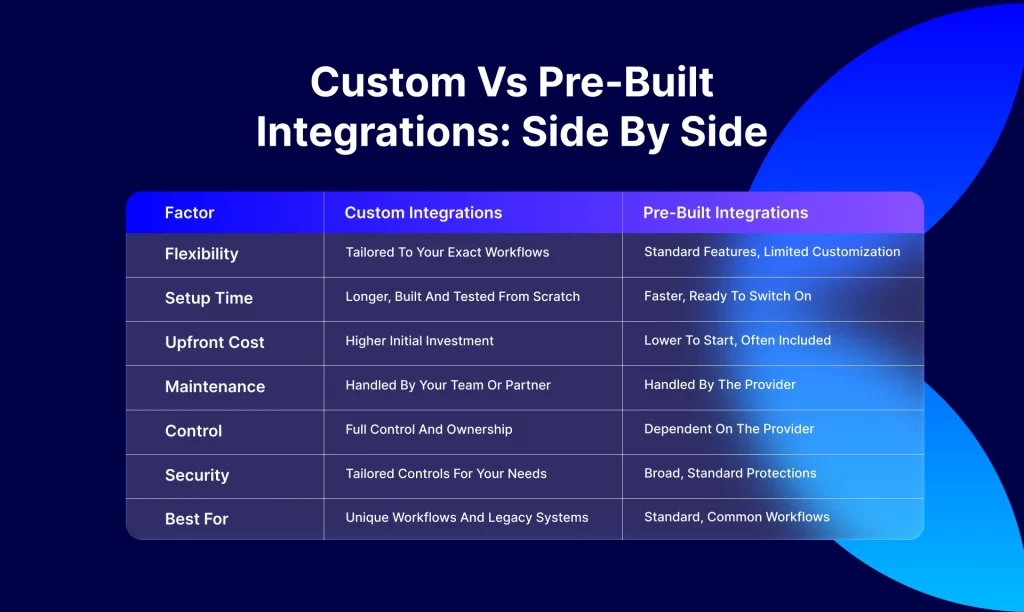
Custom vs pre-built integrations: side by side
Here is a simple comparison across the factors that tend to matter most.
Can you use both custom and pre-built integrations?
Yes, and it is often the smartest route. A hybrid setup uses ready-made connectors for standard, high-volume tasks, such as syncing orders between a store and an accounting system, and saves custom work for the processes that are specific to your business.
This lets you move quickly where speed counts and stay flexible where control counts. As your business grows, a hybrid setup grows with it. You connect everyday apps fast with low-code connectors, then extend the workflows that need something special. It is a balanced way to manage cost, speed, and scale without rebuilding everything at once.
Which integration fits your industry?
The right choice often depends on your sector and the systems you run.
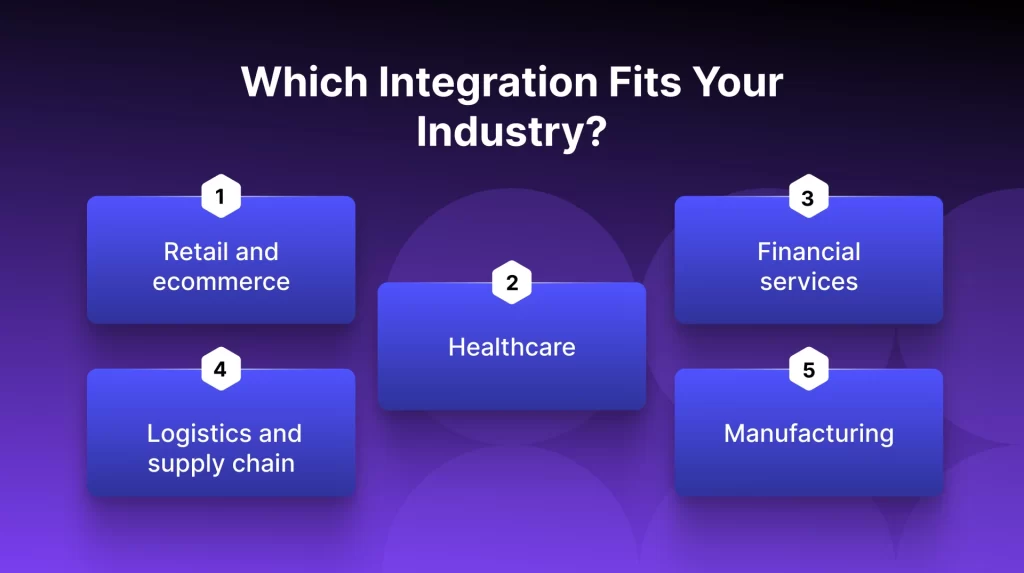
- Retail and ecommerce. Ready-made connectors usually fit well, since linking storefronts, marketplaces, and back-office tools is a common, well-supported task.
- Healthcare. Sensitive records and strict rules tend to point toward custom work, where you can apply the controls these environments call for.
- Financial services. Regular audits and tight security often make custom integrations the safer route for secure, logic-heavy connections.
- Logistics and supply chain. A hybrid setup tends to win here, with ready-made connectors for standard syncs and custom work for live tracking and routing.
- Manufacturing. Proprietary or older systems often need custom integrations to bring complex production and inventory logic together.
How APPSeCONNECT brings both together
Custom integrations give you the tailored fit some businesses need, though they ask for more time and effort. Pre-built integrations are popular for their speed and lower cost, even if a standard connector cannot always flex to a unique process. The good news is that you do not have to choose one and give up the other.
APPSeCONNECT brings both into a single platform. You get a library of pre-built integration templates for quick launches, plus a visual builder that lets you adjust those templates or create new connections on your own. And when a project calls for something more advanced, our in-house team can build it for you.
In practice that means you keep the speed of ready-made connectors and the flexibility of custom work, without the usual trade-offs. As your needs change, your integrations can adapt with them. Book a demo or start a free trial to see how it fits your setup.
Final thoughts
Choosing between custom and pre-built integrations comes down to a handful of factors: how much you need to tailor, how fast you want to launch, what you can spend, who maintains it, and how strict your security needs are. Custom work offers a precise fit and reaches systems standard tools cannot, in exchange for more time and upkeep. Pre-built connectors offer speed and provider support at a lower starting cost, though they may not cover every unique need.
Both have a clear place. And for teams that would rather not pick between speed and flexibility, a platform that offers both can be the most practical answer of all.
Frequently Asked Questions
A custom integration is built for your specific processes, so every part of the connection matches how you work. A pre-built integration is a ready-made connector designed for common scenarios and quick setup, which may ask you to adjust your process to fit it.
Pick a custom integration when your workflows are unusual or complex, or when you need to connect legacy and on-premise systems that standard tools cannot reach. If your needs are more general and you want to launch quickly, a pre-built option is often the better fit.
Custom integrations usually call for a larger upfront investment and ongoing upkeep. Pre-built integrations tend to cost less to start and are often included with the platform, though further customization can add to the cost later.
Custom integrations may need updates when connected systems change, and your team manages that work. Pre-built integrations are kept current by the provider, with less flexibility to change how they behave.
Neither is better in every case. A custom API integration gives you control, flexibility, and ownership for complex or specific needs. A pre-built connector wins on speed and simplicity for standard tasks. The right choice depends on your workflows, your budget, and your in-house skills.
Yes. A hybrid setup is common and often recommended. Platforms like APPSeCONNECT let you launch with ready-made templates and add custom logic where you need it, so you get speed and flexibility from one place.










