Not every API integration tool is built for the same job. Some connect ERP, CRM, and eCommerce apps so business data moves on its own. Some help developers publish and manage APIs. Others let software companies add integrations inside their own product.
That difference decides whether a tool fits. Pick the wrong type and it feels too light for serious business workflows, too technical for the people who use it daily, or too expensive for a simple sync between two apps. The fastest way to a good decision is to match the tool category to the work first, then shortlist vendors second.
Key Takeaways
|
What Are API Integration Tools?
API integration tools are software platforms that help different applications share data and trigger work across connected systems.
For a business team, that can mean a new online order moving into the ERP, inventory updates syncing across sales channels, or invoice data passing from finance software into an accounting system. For a technical team, it can mean connecting APIs, managing access, handling data formats, and tracking failures when something does not sync as expected.
Most API integration tools handle a few core jobs:
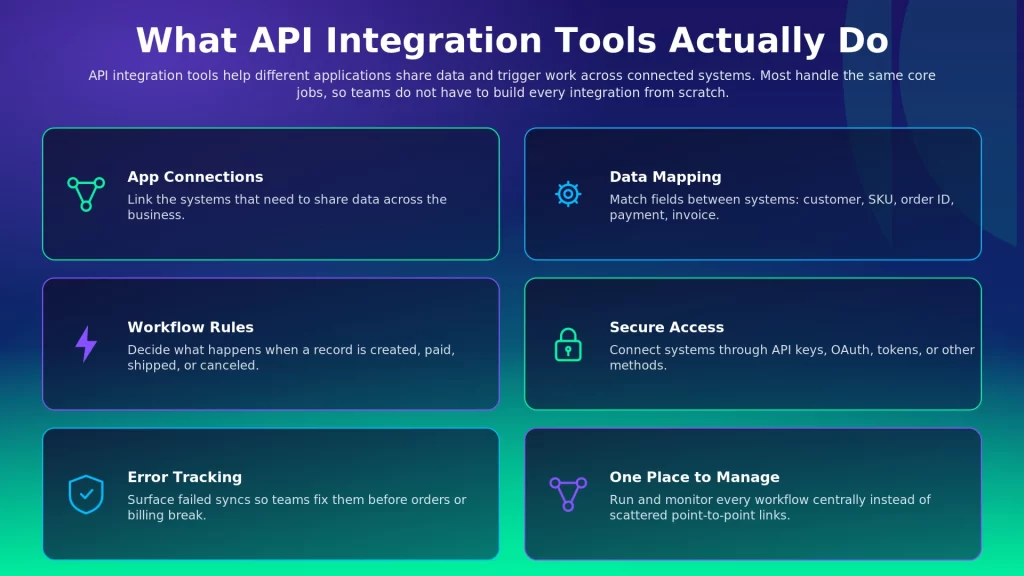
- App Connections: Link the systems that need to share data.
- Data Mapping: Match fields between systems, such as customer name, SKU, order ID, payment status, or invoice number.
- Workflow Rules: Decide what should happen when a record is created, updated, approved, paid, shipped, or canceled.
- Secure Access: Connect systems through API keys, OAuth, tokens, or other access methods.
- Error Tracking: Surface failures so teams can fix them before they affect orders, reports, billing, or customers.
The important point is simple. API integration tools are not one single category. A tool built for analytics may not help with order automation. A tool built for developers may not work well for operations teams. A tool built for SaaS products may not be the right choice for internal ERP workflows.
The Five Types of API Integration Tools
A company syncing orders between Shopify and NetSuite does not need the same tool as a SaaS company adding 50 customer-facing app integrations. Naming the problem first narrows the field fast.
Most API integration tools fall into five practical categories. Each one has a different buyer, use case, and level of technical depth.
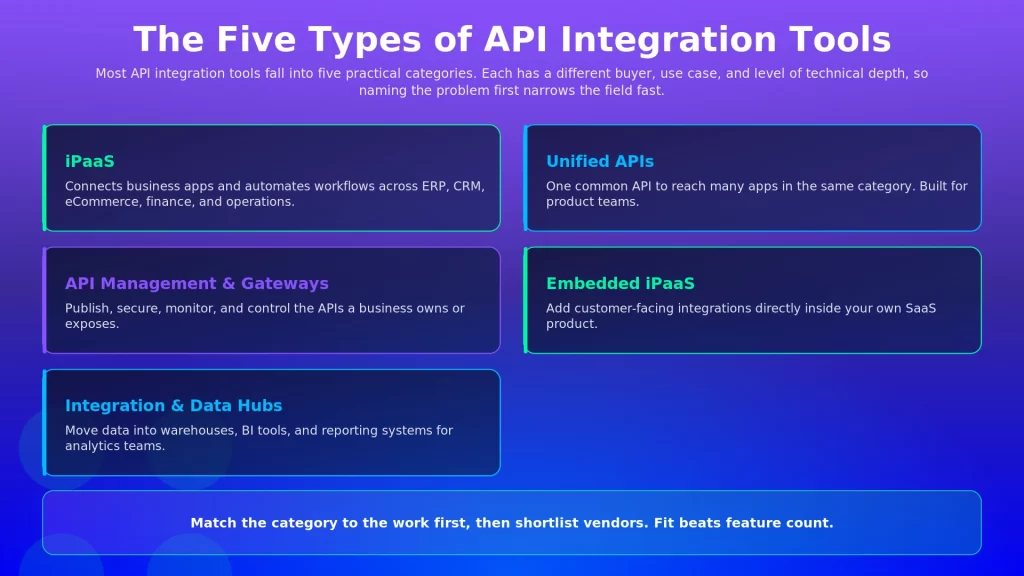
iPaaS
iPaaS stands for Integration Platform as a Service. It helps businesses connect multiple applications and automate the movement of data between them, and it is the integration category buyers reach for most: the iPaaS market grew 23.4% to $8.5 billion in 2024, the second fastest-growing segment of the application and infrastructure middleware market.
This is the category most buyers mean when they talk about API integration tools for business operations. It commonly connects ERP, CRM, eCommerce, marketplace, finance, warehouse, shipping, and support systems. A typical iPaaS project covers work like this:
- Send Orders to ERP: Move online orders into the ERP for processing.
- Sync Inventory: Update stock levels across stores, marketplaces, and warehouses.
- Automate Invoices: Pass invoice and payment data between finance systems.
- Update Customers: Keep customer records aligned across CRM, eCommerce, and ERP.
- Manage Exceptions: Track failed syncs and retry them without rebuilding the whole process.
iPaaS tools reduce the need for fragile point-to-point integrations. Instead of building separate custom links between every system, teams manage workflows from one place.
Tools in this category include APPSeCONNECT, Boomi, Workato, MuleSoft, Celigo, Jitterbit, and SnapLogic. APPSeCONNECT is especially relevant when ERP sits at the center of the integration project. For mid-market manufacturers, distributors, and B2B sellers, the ERP often controls the records that matter most: orders, inventory, invoices, payments, customers, and fulfillment.
Watch-Out: Not every iPaaS tool is built for the same depth of business process work. Some are better for light SaaS automation, some need heavier developer involvement, and some are stronger when ERP is the center of the workflow.
Unified APIs
Unified APIs help product teams connect to many apps in the same category through one common API.
This matters when a software company wants to add many integrations for its customers, such as connecting to many CRMs, accounting tools, HR systems, recruiting systems, or file storage apps. Without a unified API, the product team builds and maintains every integration one by one, which slows the roadmap and creates long-term maintenance work. With a unified API, the team builds against one common structure and reaches many apps inside that category.
Tools in this category include Merge, Apideck, and Unified.to. Unified APIs are useful when the goal is to add many product integrations faster. They are not usually the first choice for internal ERP-to-eCommerce or finance automation.
Watch-Out: A unified API makes integrations easier, but it cannot make every app behave the same way. Some apps have special fields, limits, permissions, or workflow rules, so check how the tool handles custom fields and edge cases.
API Management and API Gateways
API management platforms and API gateways help technical teams control the APIs a business owns or exposes.
This category is more technical than iPaaS. It is used when a company needs to publish APIs, secure them, control traffic, monitor usage, set access rules, and manage API versions. Think of it as traffic control for APIs. When many teams, apps, partners, or customers use the same API, the business needs to know:
- Who Can Access It: Which users, apps, or partners are allowed to connect.
- How Much They Can Use: What rate limits should apply.
- How It Performs: Whether requests are fast, slow, failing, or overloaded.
- How It Is Protected: What security rules should apply.
- How It Changes: How new versions roll out without breaking existing users.
Tools in this category include Google Apigee, Kong Gateway, AWS API Gateway, Azure API Management, and MuleSoft Anypoint API Manager.
Watch-Out: API management is not the same as application integration. It controls APIs, but it may not give operations teams the app connectors, workflow logic, business rules, and retry tools they need for daily process automation.
Embedded iPaaS
Embedded iPaaS helps software companies add integrations directly inside their own product.
This is useful for SaaS companies whose customers expect the product to connect with tools like Salesforce, HubSpot, Slack, QuickBooks, NetSuite, Jira, or Google Workspace. Building every integration from scratch slows product delivery. Embedded iPaaS gives the product team a faster way to add those integrations as part of the customer experience. A customer might log in to a SaaS product and connect their CRM from inside the product settings, while the embedded iPaaS handles much of the connection flow, authentication, and integration management behind the scenes.
Tools in this category include Prismatic, Paragon, Workato Embedded, and Tray Embedded.
Watch-Out: Embedded iPaaS is usually for software companies building integrations for their customers. It may not be the right choice if the main goal is to connect your own internal ERP, finance, eCommerce, and operations systems.
Integration and Data Hubs
Integration and data hubs help teams move data into places where it can be reported on, analyzed, or used by AI and BI tools.
This category is common with data teams, analytics teams, finance teams, and RevOps teams. The goal is usually to move information from business apps into a data warehouse, data lake, dashboard, or reporting system. A company might pull data from CRM, billing, product usage, support, and finance systems into one warehouse so leaders can see performance across the business.
Tools in this category include Fivetran, Airbyte, Matillion, Informatica, Talend, and Rivery.
Watch-Out: These tools are useful for data movement and reporting, but they are not always built for live business process automation. Sending data to a warehouse is different from syncing orders, inventory, invoices, and fulfillment updates between operating systems.
API Integration Tools at a Glance
Once the tool types are clear, the buying decision gets easier. The goal is not the biggest platform. It is the tool category that matches the work your business actually needs to run.
Type | What It Helps | Best For | Example Tools |
iPaaS | Connecting business apps and automating workflows | Operations and IT teams working with ERP, CRM, eCommerce, finance, and supply chain | APPSeCONNECT, Boomi, Workato, MuleSoft, Celigo |
Unified APIs | Adding many app integrations through one common API | Product teams building customer-facing integrations | Merge, Apideck, Unified.to |
API Management and Gateways | Publishing, securing, and controlling APIs | Developer and platform teams managing APIs | Google Apigee, Kong Gateway, AWS API Gateway, MuleSoft API Manager |
Embedded iPaaS | Adding integrations inside a SaaS product | B2B SaaS companies serving customers who need app connections | Prismatic, Paragon, Workato Embedded, Tray Embedded |
Integration and Data Hubs | Moving data into warehouses, BI tools, and reporting systems | Data, analytics, finance, and RevOps teams | Fivetran, Airbyte, Matillion, Informatica |
API Integration Tool Examples by Type
Tool names make more sense tied to real use cases. A buyer comparing iPaaS tools is usually thinking about business workflows. A buyer comparing API gateways is thinking about API control. A buyer comparing data hubs is thinking about reporting and analytics.
iPaaS Tools for Business Workflow Integration
APPSeCONNECT
APPSeCONNECT helps businesses connect ERP systems with the apps that run sales, finance, fulfillment, customer data, and operations. It is especially useful when ERP is the system of record and other applications need to stay aligned with it, such as moving eCommerce orders into ERP, flowing inventory updates back to sales channels, and syncing invoice or payment data with finance systems. Its visual ProcessFlows help teams design how data should move, which matters because business workflows are rarely one-step syncs. An order may need validation, inventory checks, payment status updates, fulfillment updates, invoice creation, and error handling.
- Best for: Mid-market businesses that need ERP-led integration across eCommerce, CRM, marketplaces, finance, warehouse, shipping, and operations.
- Key strength: Strong alignment with ERP-centered business workflows and practical process automation.
- Watch-out: Verify the exact connectors, workflow requirements, and app versions you need before implementation.
Boomi
Boomi is often considered by businesses that need a broad integration platform for apps, data, APIs, and automation. It can suit organizations where many departments need to connect systems and manage data movement.
- Best for: Mid-sized and large companies with many cloud and on-premise systems.
- Key strength: Broad coverage across app integration, automation, and API-related work.
- Watch-out: Larger projects still need strong planning and integration ownership.
Workato
Workato suits teams that want to automate workflows across many SaaS apps without building everything from scratch. Its recipe-style approach helps business and IT teams think in terms of actions, triggers, and business outcomes.
- Best for: Business-led automation across RevOps, finance, HR, IT, and operations.
- Key strength: Strong workflow automation experience across many common apps.
- Watch-out: Understand how usage scales as more workflows, tasks, and teams are added.
MuleSoft Anypoint Platform
MuleSoft is often used when integration and API strategy need to work together across a large organization. It is more common in companies with developer teams, API programs, and heavier governance needs.
- Best for: Larger organizations with complex integration and API needs.
- Key strength: Combines integration work with API lifecycle management.
- Watch-out: It may be more than a mid-market team needs for a few practical app connections.
Unified API Tools for Product Integrations
Merge
Merge helps product teams add integrations across software categories such as HR, recruiting, accounting, CRM, ticketing, and file storage. The main value is speed, since teams build against one common API model instead of building each integration separately.
- Best for: SaaS product teams that need many app integrations in the same category.
- Key strength: Common data models across supported integration categories.
- Watch-out: Confirm whether the tool handles the exact fields and actions your customers need.
Apideck
Apideck helps product teams connect to many tools across categories such as accounting, CRM, HR, file storage, and eCommerce. It can reduce the engineering effort needed to launch and maintain many common integrations.
- Best for: B2B SaaS and fintech products that need category-based integrations.
- Key strength: One API experience across multiple software categories.
- Watch-out: Category coverage is only part of the decision; check depth inside each app.
API Management Tools for API Control
Google Apigee
Apigee helps teams manage APIs with controls for access, security, traffic, analytics, and usage. It works well when APIs are shared across teams, customers, partners, or applications.
- Best for: Teams that need to manage and govern APIs at scale.
- Key strength: Strong controls for API traffic, security, analytics, and policies.
- Watch-out: It does not replace an iPaaS when the job is daily app-to-app workflow automation.
Kong Gateway
Kong Gateway is used by engineering teams that manage API traffic across cloud, hybrid, Kubernetes, or distributed environments. It sits close to infrastructure and developer operations.
- Best for: Engineering teams managing API traffic and gateway infrastructure.
- Key strength: Flexible API traffic control.
- Watch-out: Business teams may still need a separate tool for visual workflows and app-to-app data movement.
AWS API Gateway
AWS API Gateway helps teams create, publish, secure, monitor, and maintain APIs for cloud apps and services inside AWS.
- Best for: AWS-based teams building APIs for apps, services, and serverless workloads.
- Key strength: Managed API gateway capabilities inside the AWS ecosystem.
- Watch-out: It is built for developers, not for business users trying to automate app workflows.
Embedded iPaaS Tools for SaaS Product Integrations
Prismatic
Prismatic helps B2B software companies build and manage customer integrations, giving product and engineering teams tools to create integrations that live inside their own SaaS product experience.
- Best for: B2B SaaS companies with customer-specific integration needs.
- Key strength: Helps software companies deliver integrations as part of the product.
- Watch-out: It is better for customer-facing product integrations than internal ERP process automation.
Paragon
Paragon helps developer teams build product integrations with managed authentication, embedded connection flows, custom connectors, and webhook handling. It reduces the heavy lifting behind customer app connections.
- Best for: Developer teams building integrations inside a SaaS product.
- Key strength: Helps manage customer-facing integration setup and authentication.
- Watch-out: Engineering teams may still need to own custom logic and product-specific behavior.
Data Integration Tools for Analytics and Reporting
Fivetran
Fivetran helps teams move data from many sources into data warehouses, lakes, and other destinations for analytics and reporting. It is commonly used when the goal is cleaner data access for dashboards, BI, and AI work.
- Best for: Data teams that want managed data pipelines.
- Key strength: Automated data movement into analytical destinations.
- Watch-out: It is not the same as iPaaS for live business workflows.
Airbyte
Airbyte helps teams move data from applications, databases, and other sources into warehouses, lakes, and operational systems. It appeals to teams that want flexibility in how data pipelines are managed.
- Best for: Data and engineering teams that want flexible data movement.
- Key strength: Strong data replication focus.
- Watch-out: Teams may still need another platform for business workflow automation.
Matillion
Matillion helps data teams build pipelines and prepare data for analytics, AI, and cloud data platforms. Its low-code design makes data pipeline work easier to manage for teams that do not want everything buried in scripts.
- Best for: Data teams building cloud data pipelines.
- Key strength: Visual data pipeline design and transformation.
- Watch-out: It should not be treated as a general app integration tool.
How to Choose an API Integration Tool
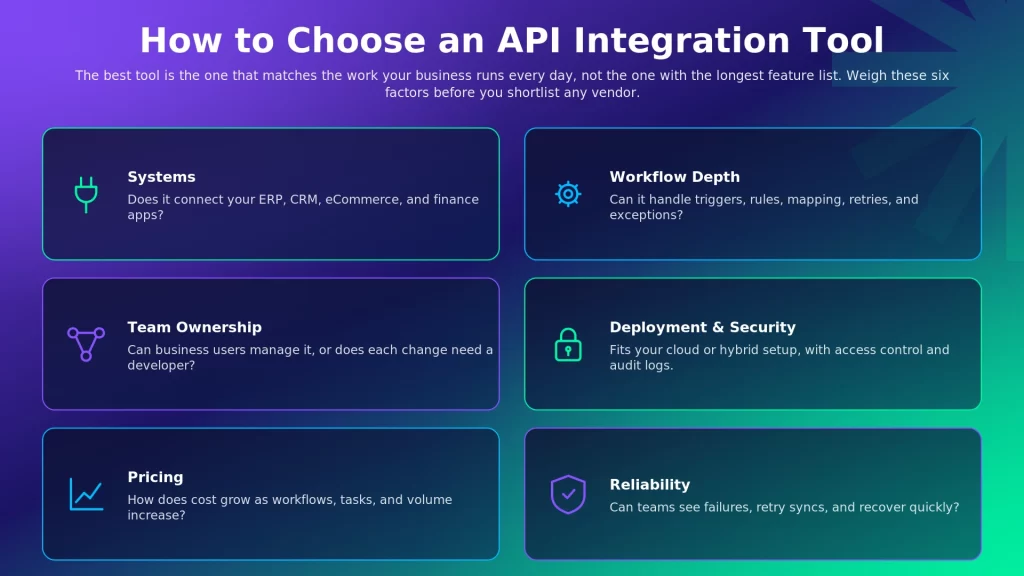
The best API integration software is the one that matches the work your business runs every day. A company syncing two SaaS apps has a very different need from a manufacturer syncing orders, inventory, invoices, shipments, tax data, and customer records across ERP and commerce systems, and that spread is normal: large companies have automated at least one business process in an average of four functions such as finance, IT, and customer service.
Criterion | What to Check | Why It Matters |
Systems | Does it connect with your ERP, CRM, eCommerce, finance, marketplace, warehouse, or support apps? | The right connectors reduce custom work and speed up rollout. |
Workflow Depth | Can it handle triggers, rules, mapping, retries, and exceptions? | Simple syncs and serious business processes need different levels of control. |
Team Ownership | Can business users manage it, or does every change need a developer? | The tool should match the people who will maintain it. |
Deployment | Does it match your cloud, on-premise, or hybrid setup? | Some critical systems may not live fully in the cloud. |
Security | Does it include access control, logs, authentication, and audit visibility? | Integrations often touch sensitive business data. |
Pricing | How does cost grow as usage increases? | A tool that starts cheap can become costly as workflows expand. |
Reliability | Can teams see failures, retry syncs, and recover quickly? | Broken integrations can delay orders, reporting, billing, and fulfillment. |
A lightweight automation tool may be enough for simple SaaS workflows. A developer platform may be better when the team wants full control. An ERP-led iPaaS may be better when operational accuracy matters across orders, inventory, invoices, and finance. The real question is not which tool has the most features. It is which tool can run the work your business depends on.
Native Integration vs API Integration
Native integrations are built into the apps you already use. They are usually easier to turn on and work well for standard use cases. API integrations give teams more control over what data moves, when it moves, how it changes, and what happens when something fails. The tradeoff is simple. Native integrations are easier, and API integrations are more flexible.
- Native Integration: Works well when the use case is standard, supported, and unlikely to change.
- API Integration: Works better when the business needs custom rules, multiple connected systems, or more control over data movement.
- iPaaS: Helps businesses get that control without building and maintaining every connection as custom code.
Point-to-point integration often looks attractive at first. One system connects directly to another, and the job is done. But as more systems are added, the setup gets harder to manage, and every new connection adds another place where business logic can break.
How APPSeCONNECT and appse ai Help With API Integration
APPSeCONNECT helps businesses connect the systems that run sales, finance, fulfillment, inventory, customer data, and operations. For many mid-market companies, the ERP is the center of that work. It holds the records other systems depend on, such as orders, stock levels, invoices, payments, customer details, item data, and fulfillment updates.
When ERP data does not move properly, the impact is immediate. A sales channel may show the wrong inventory. A finance team may chase outdated invoice data. A warehouse team may process an order with missing details. A customer support team may not see the latest order status.
APPSeCONNECT reduces that friction by connecting ERP systems such as SAP, Microsoft Dynamics, NetSuite, Sage, or Acumatica with eCommerce, CRM, POS, marketplaces, shipping, warehouse, finance, and other operational systems.
The visual ProcessFlow designer helps teams define how data should move between applications, which is useful because business workflows are rarely one-step syncs. An order may need validation, inventory checks, tax handling, payment status updates, fulfillment updates, invoice creation, and exception handling. Monitoring, logs, retry, and resync capabilities also matter, since a team should be able to see what happened when a sync fails and recover without searching through scattered scripts or waiting for a developer to investigate every issue.
appse ai extends this further as the AI automation layer in the APPSeCONNECT ecosystem. It helps teams work with process design, issue signals, exception review, and operational follow-up across connected systems.
Together, APPSeCONNECT and appse ai help businesses move from basic app connections to more controlled integration and automation, which matters for teams that want their ERP, commerce, finance, CRM, and operations systems to work together without depending on fragile custom links.
Frequently Asked Questions
An API integration tool helps applications share data and trigger work through APIs. It usually handles connections, access, mapping, workflow logic, monitoring, and errors so teams do not have to build every integration from scratch.
The main types are iPaaS, unified APIs, API management and gateways, embedded iPaaS, and integration or data hubs. Each type serves a different kind of team and problem.
iPaaS connects applications and automates workflows between them. API management helps teams publish, secure, monitor, and control APIs. A business may need both, but they are not the same tool category.
Native APIs can work when the use case is narrow and a developer team can build and maintain the connection. A tool becomes more useful when integrations involve many systems, business rules, changing workflows, error handling, or high data volume.
A native integration is already built into an app and usually handles standard use cases. API integration gives teams more control over how data moves, but it needs more planning and maintenance.
Some API integration tools have free plans, open-source versions, or trials. They can work for testing, small automations, or developer projects. For business-critical workflows, check limits around volume, support, monitoring, connectors, and security.
Start with the systems you need to connect, then weigh workflow depth, team ownership, deployment model, security, pricing, and reliability. A tool that matches your actual workflow will serve you better than a tool with a longer feature list.
Conclusion
API integration tools are easier to compare when you start with the problem you need to solve. iPaaS, unified APIs, API management, embedded iPaaS, and data hubs all have different jobs. Choose the category first, then shortlist vendors based on your systems, workflows, team, and risk level. That one step can prevent a costly mismatch later.
If you need to connect ERP, eCommerce, CRM, marketplaces, finance, or operations workflows without building fragile point-to-point integrations, an ERP-led iPaaS is worth a close look.
See how APPSeCONNECT maps to your integration scenario, book a demo to talk to an expert.