If you are weighing SAP Business One vs QuickBooks, the short answer is this: QuickBooks is accounting software that handles a few extra tasks, while SAP Business One is a full business management system that includes accounting. QuickBooks suits early stage bookkeeping. SAP Business One suits companies that have started running sales, inventory, purchasing, and finance as one connected operation.
Many businesses begin on QuickBooks and stay there happily for years. The friction usually starts when teams outside finance, such as sales and warehouse staff, need live information that lives in separate spreadsheets and apps. This guide walks through where each tool fits, the signs you have outgrown QuickBooks, how the two compare side by side, and what a move to SAP Business One actually involves.
What is QuickBooks Best At?
QuickBooks earned its popularity by making accounting approachable. Most businesses can set it up quickly, connect their bank accounts, and start tracking money without specialist training. For straightforward bookkeeping and payroll, it remains a strong choice.
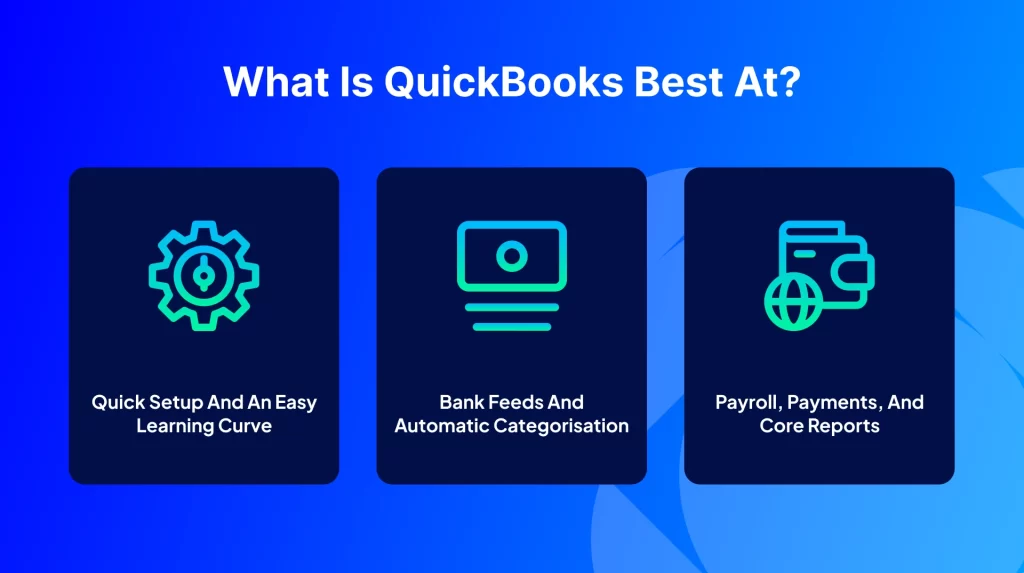
Quick setup and an easy learning curve
QuickBooks uses guided steps that let owners and managers get started without deep accounting knowledge. The interface is familiar and forgiving, which is part of why so many first time finance teams begin here.
Bank feeds and automatic categorisation
QuickBooks can pull transactions from connected bank accounts and sort them into categories for review. This removes a lot of manual entry and keeps day to day bookkeeping moving.
Payroll, payments, and core reports
Within its own ecosystem, QuickBooks handles payroll, payment collection, and the everyday reports a small business needs, including profit and loss statements, balance sheets, and monthly summaries. For a single entity with simple needs, that coverage is often enough.
Is QuickBooks an ERP?
No. QuickBooks is accounting software at its core. An ERP, or enterprise resource planning system, connects finance with sales, customer records, inventory, purchasing, and production so the whole business works from one set of data. QuickBooks can bolt on extra features and integrations, but the foundation is bookkeeping. SAP Business One is built as an ERP, which is the real difference behind most SAP vs QuickBooks questions.
What is SAP Business One?
SAP Business One is an ERP designed for small and mid sized companies. It brings finance, sales, customer relationship management, inventory, purchasing, and light manufacturing into a single platform, so a sales order can flow into stock allocation, purchasing, and the accounts without anyone rekeying data. Because everything sits in one place, managers can see how the business is performing in real time rather than waiting for reports to be stitched together.
SAP Business One vs QuickBooks: Side by Side
This table gives a quick view of how the two tools differ across the areas growing businesses ask about most.
Area | QuickBooks | SAP Business One |
Core purpose | Accounting and bookkeeping | Full ERP that includes accounting |
Best fit | Startups and small businesses | Small to mid sized businesses that are scaling |
Users and roles | Limited concurrent users, basic permissions | Adds users as you grow with role based access |
Inventory | Basic tracking | Multiple warehouses, batch and serial tracking, bin locations |
Manufacturing | Not a core strength | Bills of materials, production orders, and planning |
Reporting | Standard reports | Real time analytics and customisable reporting |
Multi currency and entities | Limited | Built for multiple currencies and entities |
Integration | Popular app connectors | Broad integration through APIs and connectors |
Deployment | Mainly cloud | Cloud or on premise |
Compliance | Suited to simple needs | Built with GAAP aligned controls and audit trails |
Signs You Have Outgrown QuickBooks
Before comparing features line by line, it helps to recognise the moment QuickBooks starts to hold a business back. These patterns tend to appear together:
- You keep adding apps. A separate tool for customer records, another for inventory, a shipping plugin, and a stack of spreadsheets that do not talk to each other.
- You need to see across locations. Not only how much stock you have, but where it sits, which batch or serial number it carries, and when it expires.
- You have started making or assembling products. The moment you need a bill of materials or production planning, QuickBooks runs short.
- You trade across currencies or entities. Intercompany activity and multiple currencies stretch QuickBooks beyond its comfort zone.
- Your team has grown and you need controls. Approval steps, role based access, and audit trails matter once more people touch the numbers.
- Month end keeps getting longer. Manual reconciliation across systems eats into time that should go to running the business.
If several of these feel familiar, the question shifts from QuickBooks vs SAP to when to make the move.
Why Growing Businesses Move to SAP Business One
Companies rarely switch because QuickBooks is poor. They switch because they have outgrown accounting only software and need a single system for the whole operation. These are the reasons that come up most often.
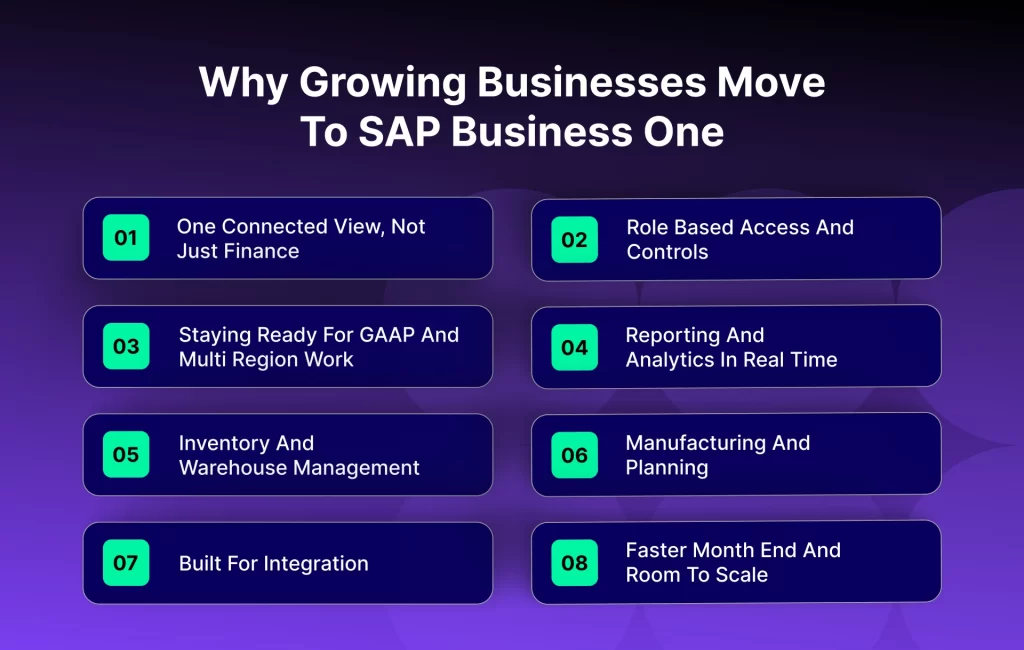
One connected view, not just finance
SAP Business One unites sales, purchasing, inventory, and finance, so teams work from the same live information. That visibility helps leaders make decisions from data rather than best guesses across disconnected tools.
Role based access and controls
Access can be set by role, so each person sees what they need and sensitive information stays protected. Paired with audit trails and approval steps, this gives growing teams the controls auditors expect.
Staying ready for GAAP and multi region work
As a business expands, accounting requirements grow with it. SAP Business One supports GAAP aligned processes and handles multiple entities and currencies, which matters once a company sells across regions and faces different tax rules.
Reporting and analytics in real time
SAP Business One runs on an in memory database and includes reporting tools and dashboards that let teams customise reports and drill into profitability and performance, without exporting everything to spreadsheets first.
Inventory and warehouse management
This is where the gap is widest. QuickBooks covers basic stock tracking. SAP Business One manages inventory in depth, with multiple warehouses, bin locations, batch and lot tracking, serial numbers, and expiry handling, plus the valuation method your finance team needs. For businesses with real stock, that depth changes how the warehouse runs.
Manufacturing and planning
If you make, assemble, or kit products, SAP Business One supports bills of materials, production orders, and material requirements planning. QuickBooks has no native answer for this kind of work.
Built for integration
SAP Business One connects cleanly with ecommerce stores, marketplaces, customer relationship tools, and electronic data interchange for order processing. This is exactly the territory where a connected ERP earns its keep, by syncing orders, inventory, and customers across channels automatically.
Faster month end and room to scale
Because data flows through one system, month end closing becomes faster and less manual. The same foundation handles rising transaction volumes as you add channels such as online stores and marketplaces, so performance holds up as you grow.
SAP Business One vs QuickBooks: Pros and Cons
QuickBooks strengths
- Fast to set up and easy to learn
- Lower starting cost for small teams
- Strong for core bookkeeping, payroll, and simple reporting
QuickBooks limitations
- Stretches thin once inventory, manufacturing, or multiple entities enter the picture
- Relies on add ons that can fragment data and add hidden cost
- Limited room to scale users and complex processes
SAP Business One strengths
- One connected system across finance, sales, inventory, and operations
- Depth in inventory, manufacturing, reporting, and compliance
- Designed to grow with the business and integrate with other platforms
SAP Business One considerations
- A larger investment than accounting only software
- Implementation takes planning and time
- Teams need some training to use the wider feature set well
How SAP Business One and QuickBooks Pricing Compare
Cost is usually the first thing buyers compare, so it helps to understand the models rather than chase a single number. QuickBooks is typically a lower cost subscription suited to small teams. SAP Business One is a larger investment, usually priced per user with an implementation project on top, and it is generally sold and supported through a partner.
The license fee alone, though, can be misleading. A growing QuickBooks setup often carries extra subscriptions for customer records, inventory, shipping, and reporting, plus the staff time spent reconciling tools that do not connect. When those add ons are counted together, the gap narrows, and consolidating into one ERP can make sense as complexity grows. For current figures, it is best to request a quote based on your user count and requirements, since published pricing changes over time.
How QuickBooks to SAP Business One Migration Works
A common worry in the QuickBooks vs SAP Business One decision is that migration will be disruptive. In practice, a well run project follows clear stages with defined milestones:
- Discovery. Map how the business actually runs, not only what sits in QuickBooks.
- Blueprint. Design the SAP Business One setup, review it, and adjust before any build.
- Build and data migration. Configure the system and move master data such as the chart of accounts, customers, vendors, items, and current stock.
- Testing. Run both systems in parallel on the same transactions to build confidence.
- Go live and support. Switch over, then support the team closely through the first period.
Records that usually move across include the chart of accounts and balances, customer and vendor details, item master data, current inventory, and open invoices and bills. Historical transactions typically move for a selected period. The spreadsheet workarounds tend to stay behind, which is often the point of upgrading.
SAP Business One and QuickBooks Integration
Whichever system you run, it rarely works alone. Growing businesses connect their finance or ERP platform to ecommerce stores, marketplaces, customer relationship tools, and shipping providers. Strong integration keeps orders, inventory, and customer records in sync across channels, so teams stop rekeying data and customers get accurate information.
APPSeCONNECT is an integration platform that connects SAP Business One and QuickBooks with applications such as online stores, marketplaces, and customer relationship systems, with support for electronic data interchange. Ready made integration packages help businesses link their accounting or ERP platform to the rest of their stack and automate the flow of data between them.
How SAP Business One Compares with Other Tools
SAP Business One and QuickBooks are not the only options. Buyers comparing them often look at other accounting tools and mid market ERPs as well. Here is where the common alternatives fit.
- NetSuite: A cloud ERP from Oracle covering finance, inventory, and operations, often considered by companies that want everything in the cloud.
- Acumatica: A flexible cloud ERP known for its pricing model and scalability across finance, distribution, and customer management.
- Microsoft Dynamics 365 Business Central: A cloud ERP that fits well with the wider Microsoft ecosystem.
- Sage and Xero. Accounting platforms often compared with QuickBooks for small business bookkeeping rather than full ERP needs.
- Intuit Enterprise Suite. Intuit’s higher tier offering for larger QuickBooks users who need more than the standard product.
- Infor and Priority. ERPs with strong fits in manufacturing and distribution for companies with specialised requirements.
The right choice depends less on brand and more on how complex your operations are, how much you need in one system, and how well the platform connects to the tools you already use.
How to Choose the Right Fit
Choosing between SAP Business One and QuickBooks comes down to where your business is heading. If your needs are simple, your team is small, and accounting is the main job, QuickBooks is a sensible and cost effective choice. If you are managing inventory across locations, starting to manufacture, trading across currencies, or stitching together too many apps, SAP Business One gives you one platform built to scale.
It also helps to think about how any system connects to the rest of your business. The smoother the integration between your finance or ERP platform and your ecommerce, marketplace, and customer tools, the less manual work your team carries, and the more reliable your data becomes.
Frequently Asked Questions
No. QuickBooks is accounting software with some add on features. SAP Business One is a full ERP that includes accounting along with sales, inventory, purchasing, and production.
They overlap on accounting, but they sit in different categories. SAP Business One manages the whole operation in one system, while QuickBooks focuses on bookkeeping.
Common triggers include managing stock across multiple warehouses, starting to manufacture, trading in several currencies, needing tighter controls, or running too many disconnected apps.
Yes. The chart of accounts, balances, customers, vendors, items, current inventory, and open invoices and bills usually migrate, with historical data moved for a selected period.
Yes. Through integration platforms such as APPSeCONNECT, SAP Business One connects with online stores, marketplaces, and customer relationship tools, with support for electronic data interchange.