NetSuite and BigCommerce Integration and Automation
NetSuite and BigCommerce integration connects your storefront order activity with the ERP records that control fulfillment, inventory, pricing, and finance, and APPSeCONNECT gives you a governed platform to move that data without custom middleware. BigCommerce orders create NetSuite sales orders, NetSuite stock and price changes push back to the store, and invoice and payment details stay connected across managed workflows instead of depending on CSV uploads, re-keying, or delayed nightly batches.
Key Benefits
Why APPSeCONNECT Is the Gold Standard for NetSuite and BigCommerce Integration
NetSuite and BigCommerce work together through controlled integration workflows. The integration keeps storefront orders, customers, and stock connected to NetSuite records, so retail, operations, and finance teams work from the same order-to-cash timeline without repeated manual exports or point-to-point scripts.
Post BigCommerce Orders With the Right NetSuite Rules
BigCommerce web and B2B orders can create NetSuite sales orders with mapped customer, item, tax, shipping, and subsidiary details. This helps records post cleanly into NetSuite instead of arriving as exports that need correction.
Keep Inventory Aligned Across Store and ERP
NetSuite stock and availability changes can update BigCommerce on a scheduled or event-driven basis. This helps reduce overselling and stock drift between the ERP and the storefront.
Publish NetSuite Pricing to the Storefront
Price lists, tiered pricing, customer-specific pricing, and discounts can move from NetSuite to BigCommerce where the flow requires it. This helps the store reflect approved ERP pricing rather than separately maintained values.
Keep Customer Records Connected Both Ways
Shopper profiles, addresses, and account details can move between BigCommerce and NetSuite. This helps teams work from cleaner customer records instead of duplicate accounts in each system.
Bring Invoice and Payment Visibility Together
Invoice, billing, and payment transaction details can stay connected between BigCommerce and NetSuite where supported. This helps finance and account teams follow order-to-cash with more context.
Track, Retry, and Resync Exceptions
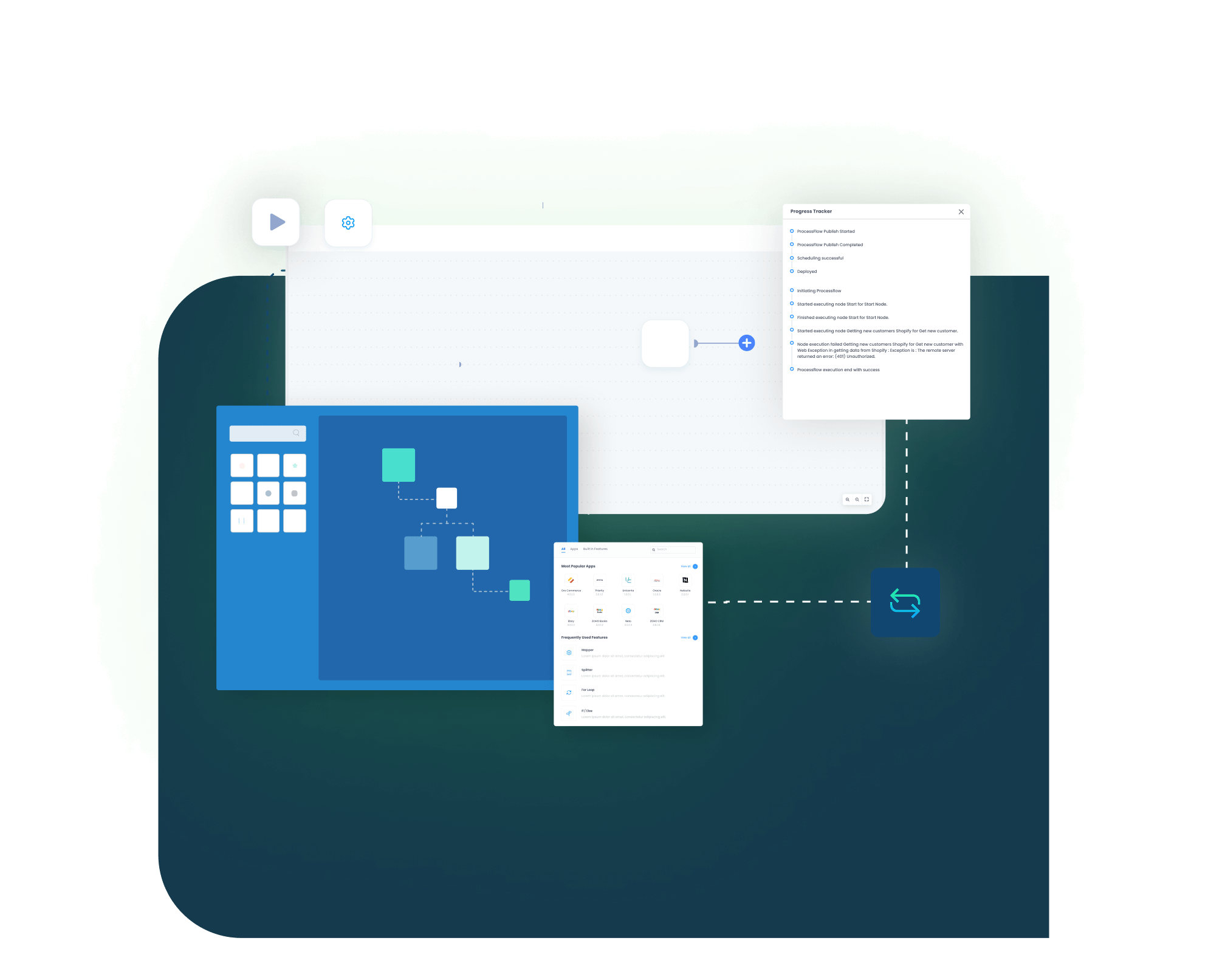
Logs, snapshots, node status, and API responses help teams see what happened, auto-retry can handle transient failures, and missed records can be resynced after the cause is corrected.
Standard Features Covered in Our NetSuite and BigCommerce Integration Template
APPSeCONNECT supports NetSuite and BigCommerce integration across order, inventory, customer, and product workflows, with pricing and finance processes included. The setup can follow your NetSuite configuration and BigCommerce store processes. It can also support B2B Edition price lists, company accounts, subsidiary and location mapping, and matrix or kit item handling based on your project scope.
Order and Fulfillment
- BigCommerce Orders → NetSuite Sales Orders: New BigCommerce web and B2B orders can create NetSuite sales orders. The flow can include line items, quantities, pricing, tax, shipping, customer match, and subsidiary details.
- NetSuite Fulfillment → BigCommerce Order Status: Shipment, tracking, and fulfillment status from NetSuite can update the BigCommerce order record so shoppers and service teams see current progress.
- Returns, Refunds, and Cancellations: Return, refund, and cancellation details can route through the configured workflow between BigCommerce and NetSuite with less manual handling.
Inventory and Product
- NetSuite Inventory → BigCommerce Availability: Stock levels and availability changes from NetSuite can update BigCommerce on a scheduled or event-driven basis to help reduce overselling.
- NetSuite Items → BigCommerce Products: Item details, product updates, and matrix or kit item structures can move from NetSuite to BigCommerce using mapped rules.
- Product Data Sync: Descriptions, SKUs, unit of measure, and product references can be mapped between systems so catalog records stay connected.
Pricing and Promotions
- NetSuite Pricing → BigCommerce: Price lists, tiered pricing, customer-specific pricing, discounts, and currency values can be published to BigCommerce where required.
- B2B Edition Pricing Context: Customer-specific price lists and company account pricing can support BigCommerce B2B Edition storefronts.
- Promotions and Gift Cards: Promotion, discount, and gift-card handling can be mapped where the store workflow and ERP process support it.
Customer and Finance
- Customer Records → Bi-Directional: Shopper profiles, addresses, contacts, and custom fields can move between BigCommerce and NetSuite to keep account records aligned.
- BigCommerce Payments → NetSuite: Payment transactions and statuses can be recorded against the NetSuite record for reconciliation where supported.
- Invoice and Billing Sync: Invoice records, billing details, due dates, and open balances can stay connected between NetSuite and the storefront workflow where visibility is required.
- Monitoring and Retry: Track success and error rates through the Sync Info dashboard, let auto-retry handle transient failures, and resync missed records after correcting the cause.
Popular NetSuite and BigCommerce Integrations
NetSuite and BigCommerce integration often becomes part of a larger commerce and revenue operations stack. Businesses can connect additional storefronts, marketplaces, POS systems, payment processors, warehouse and 3PL tools, reporting platforms, and approved custom applications around the NetSuite and BigCommerce workflow, with NetSuite remaining the ERP system of record.
Popular NetSuite Integrations
Connect Netsuite with other business applications.
Looking for a Specific Integration?
View All NetSuite Apps

Popular BigCommerce Integrations
Connect BigCommerce with other business applications.
+
+
+
+
Looking for a Specific Integration?
View All BigCommerce Apps
INTEGRATION BROCHURE
Download the NetSuite and BigCommerce Integration Brochure
Use the brochure to plan how NetSuite and BigCommerce can exchange order, inventory, customer, pricing, invoice, and payment records. It helps teams decide which system should own each process and how the integration should be rolled out.
Inside you’ll find:
- Integration Architecture: See how NetSuite and BigCommerce can connect orders, customers, items, inventory, pricing, invoices, and fulfillment updates through managed workflows.
- Flow Planning: Review the source and target direction for store-to-ERP and ERP-to-store workflows.
- Rollout Approach: Start with order and inventory sync. Then extend into customer records, pricing, fulfillment status, invoices, and B2B Edition scenarios.
- Testing Checklist: Validate sample orders, customers, items, inventory updates, price lists, refunds, and retry scenarios before launch.
- Operational Readiness: Prepare teams to monitor runs, review logs, inspect failed records, correct mapping issues, and retry transactions after go-live.
Meet appse ai
How appse ai Helps Streamline NetSuite and BigCommerce Integration
After NetSuite and BigCommerce are connected, teams still need to manage failed records, mapping changes, seasonal volume spikes, and repeated checks. appse ai can add AI-assisted support around workflow design, exception review, process signals, and workflow optimization while keeping NetSuite and BigCommerce controls in place.
Workflow Design
Help teams build or adjust automation flows with no-code tools and AI-assisted guidance, especially when new channels or entities are added.
Issue Detection
Help teams identify failed records, failed workflow runs, and repeated exception patterns across order, inventory, customer, pricing, and invoice flows.
Exception Review
Review missing fields, mapping gaps, validation errors, and system responses with clearer transaction context.
Order Tracking
Review order movement from the first BigCommerce sales record through later NetSuite updates across connected systems.
Process Signals
Help teams track where records slow down, fail often, or create extra follow-up work for retail, finance, or service teams.
API Orchestration
Extend NetSuite and BigCommerce workflows to marketplaces, POS, payment, reporting, and approved custom systems from the same automation layer.
Workflow Optimization
Help teams identify where the integration may need changes as order volume, catalog size, storefront count, or B2B activity grows.
Workflow
How Does the Workflow Run End-to-End
Our NetSuite and BigCommerce integration runs through ProcessFlows. Each ProcessFlow defines where the record starts, how the source schema is read, how fields are mapped, which business checks are applied, how the target system responds, and how teams review the transaction afterward.
Trigger and Source Connection
The flow can begin through a webhook, schedule, or configured sync. The source can be BigCommerce or NetSuite depending on the process.
Data Extraction and Schema Reading
The workflow reads the selected source entity and its schema. This may be an order, customer, item, inventory update, price record, invoice, payment, or return object.
Transformation and Field Mapping
Source data is converted into the target format, applying customer match, item mapping, tax, subsidiary, price-list, and currency rules.
Validation and Business Rule Execution
The record is checked before it is posted. The flow can validate customer matching, duplicate rules, item codes, pricing conditions, tax groups, and required fields.
Target Push and Response Handling
The prepared record is sent to NetSuite or BigCommerce. The response is captured with success state, failure reason, system message, and sync status.
Monitoring, Retry, and Audit Logging
Logs, snapshots, node status, transaction details, and retry controls help teams review issues and rerun records after correction.
Real-world use cases
Use Cases
Direct-to-Consumer Retail
Scenario: Store orders reach NetSuite without manual entry
B2C retailers need BigCommerce orders, returns, and customer profiles to reach NetSuite without staff copying them by hand. Order, inventory, and customer records can stay connected so service teams see end-to-end history.
- BigCommerce orders can create NetSuite sales orders with mapped tax and shipping.
- NetSuite inventory changes can update storefront availability.
- Customer profiles can move between BigCommerce and NetSuite.
- Returns and refunds can route through the configured workflow.
Supports B2C retailers running BigCommerce with NetSuite as the ERP backbone.
What this integration handles
Synced
BigCommerce orders into NetSuite
Updated
Inventory across store and NetSuite
Connected
Customer records between systems
Routed
Returns and refund details
B2B & Multi-Storefront
Scenario: B2B Edition and multiple storefronts run on one setup
B2B and multi-storefront sellers need customer-specific pricing, company accounts, and several storefronts to stay connected to NetSuite. Price lists, subsidiary, and location mapping can support the B2B Edition workflow.
- Customer-specific price lists can publish from NetSuite to BigCommerce.
- Company accounts and negotiated terms can be supported in the B2B workflow.
- Multiple storefronts and entities can be coordinated from one setup.
- Subsidiary and location mapping can align orders with the right NetSuite context.
Supports B2B sellers, wholesalers, and businesses running BigCommerce B2B Edition with NetSuite.
What this integration handles
Published
Customer-specific price lists
Supported
Company accounts and terms
Coordinated
Multiple storefronts
Mapped
Subsidiary and location data
Finance & Operations
Scenario: Invoice and payment records stay traceable
Finance teams need invoices, payment references, and open balances to stay connected to the NetSuite record rather than arrive as disconnected exports. Logs and snapshots can support reconciliation and review.
- Invoice and billing details can stay connected between NetSuite and connected systems.
- Payment transactions and statuses can be recorded against the NetSuite record.
- Credits, refunds, and adjustments can follow configured finance rules.
- Logs and snapshots can support reconciliation and audit review.
Supports finance, accounting, and operations teams that need cleaner transaction traceability.
What this integration handles
Matched
Payment and invoice references
Linked
Credits and adjustments
Auditable
Logs and snapshots
Recoverable
Resynced records
Global & Multi-Channel
Scenario: Regions, currencies, and channels run from one platform
Merchants selling across regions and channels need multicurrency handling and consistent flows. Additional marketplaces and back-office tools can connect alongside the NetSuite and BigCommerce pair.
- Multicurrency pricing and values can be mapped between systems.
- Regional tax rules can be handled within the configured flow.
- Additional marketplaces and POS tools can connect to the same ERP process.
- One platform can coordinate more channels as the catalog grows.
Supports global retailers, multi-region sellers, and multi-channel operations teams.
What this integration handles
Handled
Multicurrency values
Applied
Regional tax rules
Extended
Additional channels
Centralized
One integration platform
Frequently Asked Questions
NetSuite and BigCommerce integration connects the BigCommerce storefront with NetSuite ERP through controlled data workflows. It can move orders, customers, items, inventory updates, pricing, invoices, payments, and returns between BigCommerce and NetSuite so both systems stay aligned.
Businesses integrate NetSuite and BigCommerce to reduce manual order entry, overselling, stock drift, and delayed finance follow-up. It helps limit duplicate records and keeps storefront activity aligned with the ERP while NetSuite stays the system of record.
Sync direction depends on the flow. Orders and payments typically move from BigCommerce to NetSuite, inventory and pricing typically move from NetSuite to BigCommerce, and customer records can move both ways. Each ProcessFlow defines the source, target, and direction.
The integration can sync orders, customers, items and products, inventory updates, pricing and price lists, invoices, payments, and returns. The final scope depends on the NetSuite setup and the BigCommerce store workflow.
Native connectors and custom code can move data, while an iPaaS like APPSeCONNECT adds prebuilt connectors, a visual ProcessFlow designer, mapping, monitoring, and retry in one governed layer. The right choice depends on how many systems you connect, how much B2B or multi-storefront complexity you have, and how much you want to maintain in custom code.
The integration can support BigCommerce B2B Edition and multi-storefront setups through customer-specific price lists, company accounts, and subsidiary or location mapping. The setup can be planned around the required NetSuite process.
The integration can handle custom NetSuite records and fields through the right setup. Custom mappings, validation rules, run modes, and connector actions can be planned around the required NetSuite process and BigCommerce store workflow.
When a sync fails, APPSeCONNECT provides logs, snapshots, node status, and API responses through the Sync Info dashboard. Auto-retry handles transient failures, and teams can correct missing fields or mapping issues and resync the affected records.
Start by identifying the records that create the most manual work, such as order sync, inventory sync, customer sync, and pricing updates. APPSeCONNECT can then help map, configure, test, monitor, and scale the integration.
Ready to Launch Your NetSuite and BigCommerce Integration Today?
NetSuite and BigCommerce should not leave teams working from different versions of order, inventory, customer, pricing, and invoice data. APPSeCONNECT helps connect storefront activity with ERP records through structured workflows, so teams can reduce manual exports and improve visibility across the order-to-cash lifecycle.
Companies automating their business through APPSeCONNECT
Customer Success Stories
With APPSeCONNECT, Hernon achieved a zero business downtime and levaraged the power of a fully automated and integrated solution to ensure business growth.
Related Resources
Articles and Guides to Help You With Your Integration and Automation Journey