There are various features provided by Magento, One of the Most Popular features is POPULAR TAGS. Popular Tags helps customer to view the products which are popular in a single click
Follow the steps to create Popular Tags:
Creation of Tags from Magento Back-end
Step 1 : Login to Magento admin to create popular tags
Step 2 : Click on CATALOG => Tags => all tags
Step 3 :Click on Add New Tag
[imageframe lightbox=”yes” style_type=”none” bordercolor=”” bordersize=”0px” stylecolor=”” align=”none” link=”” linktarget=”_self” animation_type=”0″ animation_direction=”down” animation_speed=”0.1″ class=”” id=””]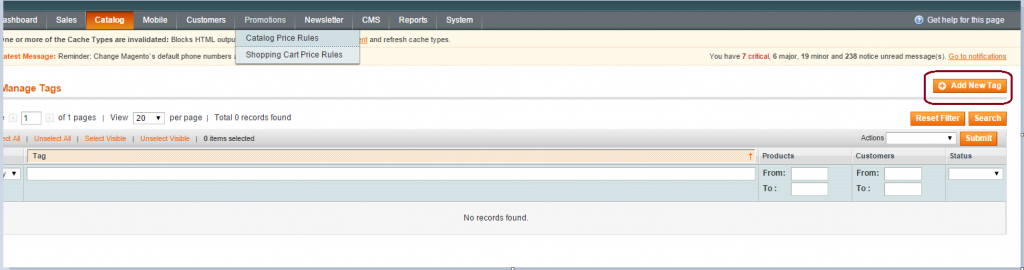 [/imageframe]
Step 4: Provide the general information under New Tag option
[imageframe lightbox=”yes” style_type=”none” bordercolor=”” bordersize=”0px” stylecolor=”” align=”none” link=”” linktarget=”_self” animation_type=”0″ animation_direction=”down” animation_speed=”0.1″ class=”” id=””]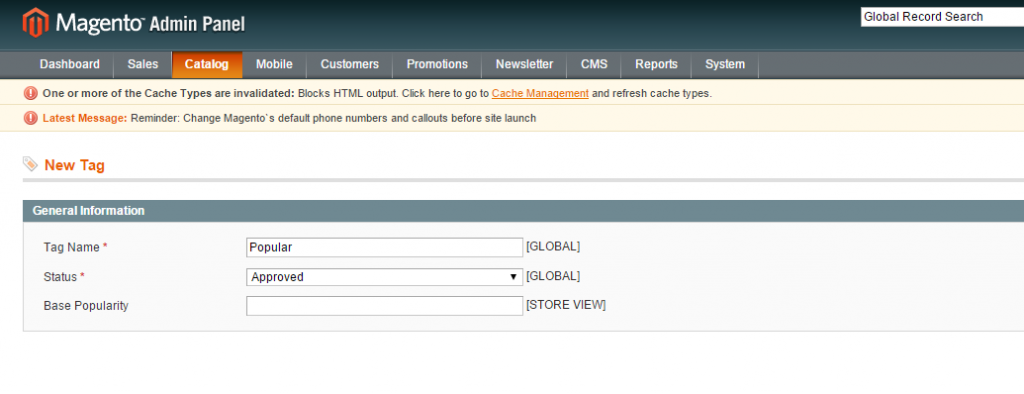 [/imageframe]
Status are of three types :
- Disable (Disable Tags)
- Pending (Tags created from front-end waiting to get approved)
- Approved (Tags created from back-end)
Here provide a Tag Name and its status “Approved”
- Click on Save Tag
[imageframe lightbox=”yes” style_type=”none” bordercolor=”” bordersize=”0px” stylecolor=”” align=”none” link=”” linktarget=”_self” animation_type=”0″ animation_direction=”down” animation_speed=”0.1″ class=”” id=””] [/imageframe]
Tag saved successfully.
[imageframe lightbox=”yes” style_type=”none” bordercolor=”” bordersize=”0px” stylecolor=”” align=”none” link=”” linktarget=”_self” animation_type=”0″ animation_direction=”down” animation_speed=”0.1″ class=”” id=””] [/imageframe]
Linking of products under Tags :
Step 1 : Click on the created tag and expand products tagged by administrators.
Step 2 : Reset the filter and select the products that will be listed under the popular tag
[imageframe lightbox=”yes” style_type=”none” bordercolor=”” bordersize=”0px” stylecolor=”” align=”none” link=”” linktarget=”_self” animation_type=”0″ animation_direction=”down” animation_speed=”0.1″ class=”” id=””]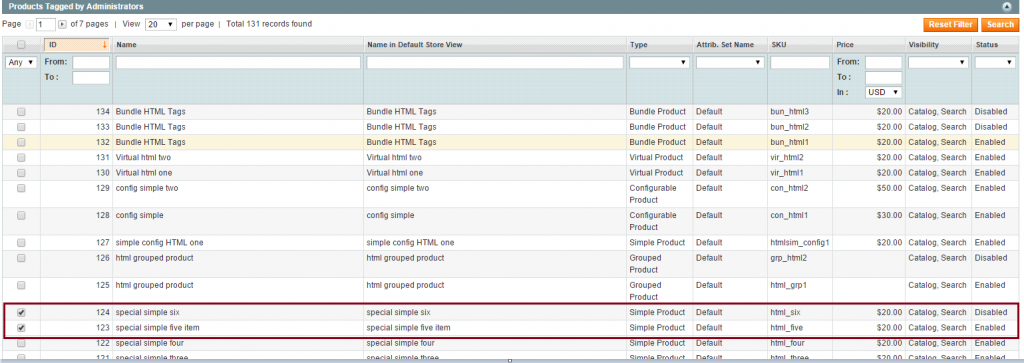 [/imageframe]
Step 3 : Click on Save.
Popular Tags are created.
Tags viewed from Magento Front-end.
Step 1 : Open Magento Front-end to view the Tag created
[imageframe lightbox=”yes” style_type=”none” bordercolor=”” bordersize=”0px” stylecolor=”” align=”none” link=”” linktarget=”_self” animation_type=”0″ animation_direction=”down” animation_speed=”0.1″ class=”” id=””]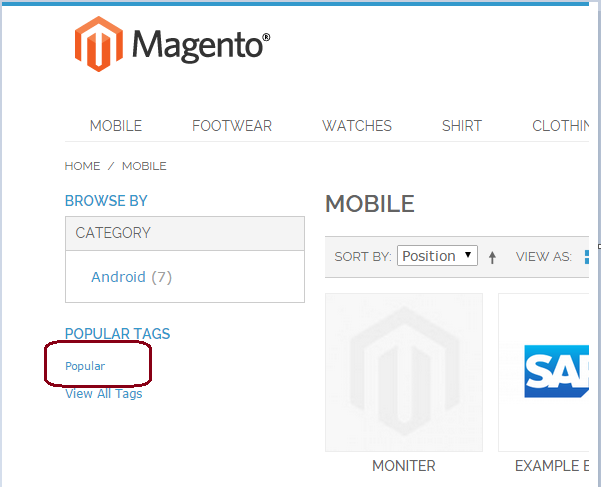
[/imageframe]
Click on “Popular” tag, to view the added product.
[imageframe lightbox=”yes” style_type=”none” bordercolor=”” bordersize=”0px” stylecolor=”” align=”none” link=”” linktarget=”_self” animation_type=”0″ animation_direction=”down” animation_speed=”0.1″ class=”” id=””]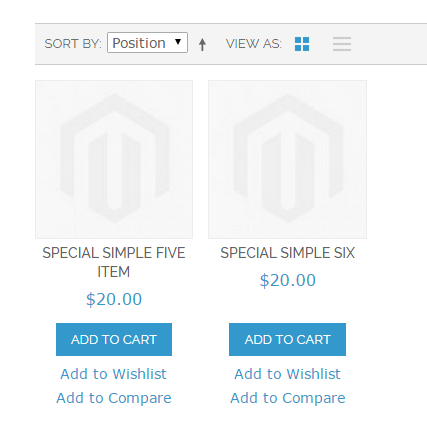
[/imageframe]
In this way Popular Tags are created in Magento Back-end.